This guide supports our HubSpot quote-to-cash implementation pillar.
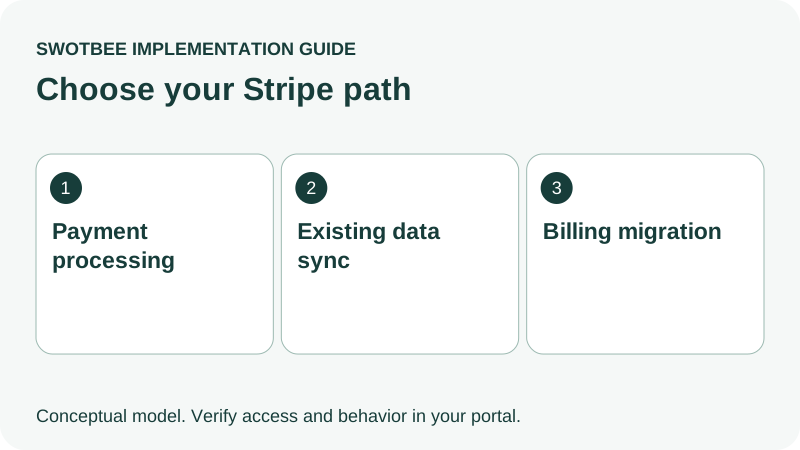
A Stripe HubSpot integration can mean collecting payments through HubSpot, bringing existing Stripe data into CRM, or migrating billing into HubSpot. Those are different jobs. Connecting Stripe as a payment processor does not automatically import existing subscriptions, while the separate data-sync app has its own supported objects and access requirements.
Choose the job before choosing the app. A sales team seeking subscription visibility should not accidentally start a billing migration, and a finance team collecting HubSpot invoices should not expect a mirrored Stripe Billing setup.
Three things you can take away:
- A connection decision: choose payment processing, existing data sync or billing migration according to the job you need the connection to perform.
- A billing and CRM handoff specification: copy the decision worksheet to name the billing controller, agreement identity and information CRM should receive.
- An event and reconciliation test plan: distinguish payments from renewals and recurring revenue, then use the acceptance checklist to test failures, repeated events and the selected connection’s limits.
Start by writing one sentence: which system should bill this agreement, and what should HubSpot know about it? Use that answer to select a path before configuring an app or planning a migration.
Which Stripe HubSpot integration path do you need?
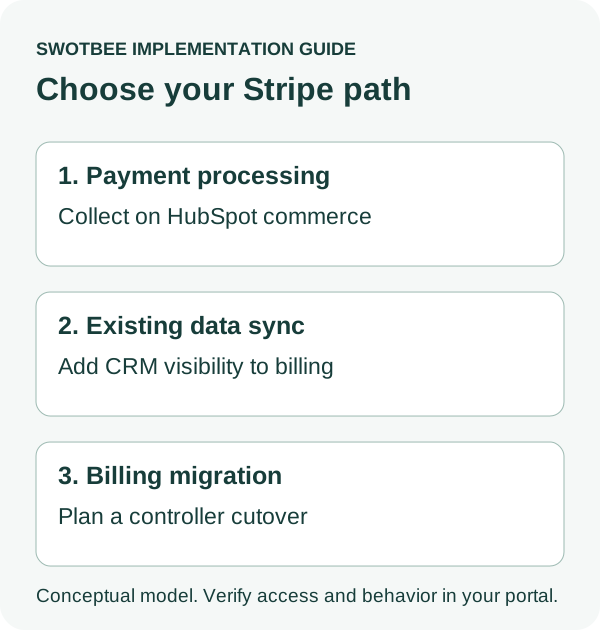
Choose payment processing for HubSpot-origin collection, data sync for existing Stripe visibility, and migration only when billing ownership should move. A hybrid needs explicit routing by agreement family.
According to HubSpot’s Stripe overview, processing, subscription migration and data sync are separate options. Use this decision table:
| Your actual job | Path to evaluate | First question |
|---|---|---|
| Collect payments on HubSpot quotes/invoices | Stripe payment processing in HubSpot | Is the merchant entity eligible? |
| See existing Stripe billing data in CRM | Stripe data-sync app | Do the required objects and fields fit the portal? |
| Move ongoing collection into HubSpot | Billing/subscription migration | Can invoices, receivables and payment methods cut over safely? |
| Different agreement families use different controllers | Explicit hybrid | How is each agreement routed without duplicate billing? |
Do not enable all three simply because they are available. Define what remains in Stripe and what HubSpot should control. Use the QTC pillar for the full quote, agreement, invoice and accounting handoff.
How do you connect HubSpot and Stripe for payment processing?
Use HubSpot’s payment setup to authorize the intended Stripe account after checking eligibility and billing ownership. This Stripe integration collects through HubSpot revenue tools; it is not an import of your existing Stripe business.
HubSpot’s processor connection guide documents invoices, quotes, payment links and recurring collection. It also states that existing external Stripe customers, subscriptions and webhooks remain unchanged, and HubSpot-created invoices/subscriptions are not created as matching Stripe Billing records.
For the documented setup, open Revenue > Payments, choose payment setup and the Stripe processing option, then follow authorization. Check the merchant country, permissions, currencies and current fee terms first. The guide excludes some countries, including India, and permits one connected Stripe account per HubSpot account. Sandbox, developer-test and partner-demo connections are unsupported for this processing path.
Prepare an internal pilot with the account owner and finance. Review exactly which tool will create the invoice, when collection begins and which users can authorize changes. Do not assume Stripe’s standalone test mode verifies HubSpot’s production processing connection.
How does Stripe integration bring billing data into HubSpot CRM?
Use the separate data-sync app to bring supported Stripe billing and payment data into HubSpot CRM, subject to its destination and access requirements. It does not make imported subscriptions native HubSpot billing controllers.
HubSpot’s Stripe overview lists customers to contacts, invoices to invoices and products to products, with subscriptions and payment transactions going to custom objects. Customer sync can be bidirectional; the other listed object flows are from Stripe to HubSpot. Data Studio is another listed data destination, not interchangeable with an operational CRM object.
The HubSpot marketplace listing states that syncing subscriptions requires Enterprise/custom objects. It also describes custom mapping conditions using older Operations Hub terminology. Confirm the current equivalent Data Hub entitlement and visible mappings in your account before quoting licensing or promising a field.
Write down the intended app publisher, objects, directions and fields. For each Stripe customer, define the contact match and distinguish that identity from the agreement or subscription match. Old customer reviews saying subscription sync was unavailable should not override the current documented object scope. Conversely, a broad “two-way” marketing label does not prove every object synchronizes in both directions.
Build a payment data mapping specification before activation: source identifier, invoice or subscription reference, currency, amount, interval, status and observed update time, where relevant to the chosen object. These are requirements to verify against the app’s available fields, not guaranteed native mappings. Record any missing field and its owner before deciding whether additional automation is justified.
Test two subscriptions for the same customer, different billing intervals and a changed plan. Check whether the actual mapped data supports your renewal or reporting question rather than assuming the object label supplies every needed property.
How do Contracts, deals and subscriptions fit together?
Keep the legal agreement, commercial commitment, opportunity and billing schedule distinct. Record which object controls changes for the path your account uses.
| Record or evidence | Responsibility to define |
|---|---|
| Executed legal agreement | Signed scope, obligations and reviewed notice terms |
| Commercial HubSpot Contract | Customer revenue commitment and native lifecycle where selected |
| HubSpot deal | New sale, expansion or renewal opportunity |
| Stripe subscription | Ongoing billing controller when billing remains in Stripe |
| Imported custom-object subscription | CRM visibility into the Stripe source |
| Native HubSpot subscription | Billing or reporting role under the configured revenue flow |
The connected CPQ, billing and payments documentation describes a beta in which Contracts control ongoing billing and related Subscription records can be non-billable reporting records. Verify the settings and beta conditions before assuming a Subscription edit changes a charge.
For record setup, use the native Contracts guide. For signed documents and returned terms, use the document integration hub. Neither an imported subscription nor a signed PDF should be treated as a new opportunity each month.
Copy this Stripe HubSpot decision worksheet
Complete this worksheet before connecting or migrating anything. Labels and IDs are illustrative, not documented native fields or tested API syntax.
| Decision | Filled example | Required evidence |
|---|---|---|
| Business job | Show existing support billing in CRM | Visibility needed; billing ownership stays in Stripe |
| Agreement | SUPPORT-01, customer C-88 | Distinct from a separate project agreement |
| Billing controller | Existing Stripe subscription SUB-42 | No second collection schedule created |
| Connection path | Documented data-sync app | Required custom-object access confirmed |
| CRM target | Mapped subscription visibility record | Correct customer/agreement association |
| Pricing meaning | USD 1,000/month for support | Interval, quantity and currency retained |
| Separate one-time fee | USD 2,000 onboarding invoice | Not treated as recurring revenue |
| Required states | Active billing, overdue payment, scheduled cancellation | Meaning and source recorded separately |
| Historical boundary | Approved existing cohort | Expected counts and counterpart IDs reconcile |
| Exceptions | Missing match assigned to RevOps | Finance can see unresolved billing visibility |
For a different example, new consultancy agreements may originate in HubSpot and use Stripe only as the processor. That row would name HubSpot’s chosen billing controller and require a first-invoice/collection test rather than a historical Stripe subscription import.
If you cannot name the controller, stop configuration long enough to settle that decision. “Stripe is connected” is not a specification for who issues the next invoice.
Does a payment event prove renewal or recurring revenue?
No. A payment is a financial event; a renewal is a commercial commitment event. Recurring revenue requires an agreed definition and the correct recurring schedule.
In the illustrative worksheet, USD 1,000/month produces a USD 12,000 annualized recurring component under that definition. The USD 2,000 onboarding fee is separate. An upfront annual payment, refund, partial payment or failed collection should not silently rewrite that distinction.
Stripe’s subscription webhook documentation distinguishes subscription lifecycle events from invoice and payment events. Choose the event that answers the business question, and preserve the source object’s identity.
For a customer with two subscriptions, a company-level “latest payment” field cannot describe both. Report invoice status and contractual renewal status separately. Use the renewal reporting guide for retention definitions, with validated source fields.
Show finance the chain: agreement, billing schedule, invoice, payment allocation and payout. A CRM badge labelled paid is not sufficient evidence of net cash settlement or complete accounting reconciliation.
How do you automate HubSpot and Stripe updates without duplicate events?
Automate only the required handoff, with a recovery process appropriate to the chosen app. Native data-sync failures and custom webhook failures have different evidence and controls; neither should create a second invoice or agreement update when an event repeats.
For native data sync, inspect the app’s record-level status, mapping and counterpart before adding a separate event listener. Where custom integration is justified, Stripe’s webhook guidance documents signature verification, duplicate delivery and event ordering considerations. Do not assume events arrive once or in the business sequence you expect.
Use this recovery specification for added logic:
| Case | Required behavior to test |
|---|---|
| Same event delivered twice | Repeat does not create another CRM result or invoice |
| Older update arrives later | Current validated state is not reversed |
| Customer has multiple subscriptions | Correct subscription and agreement are identified |
| CRM permission fails | Update held in an owned exception queue |
| Subscription cancels at term end | Scheduled and effective cancellation remain distinct |
| Collection fails, then recovers | Payment visibility reflects actual source state |
Persist enough processing identity to make a retry safe, and reconcile periodically with the controller’s current records. A delivered webhook proves delivery to an endpoint; it does not prove the required CRM update was accepted.
What changes when you migrate billing to HubSpot?
Migration transfers operational responsibility, so it needs a cutover plan beyond connecting the processor or showing data in CRM. Existing subscription visibility is not the same as continuity of collection.
HubSpot’s Contract migration documentation describes a separate billing-migration beta and processor conditions. Treat that as an account-specific path to verify, not a promise that every existing Stripe or HubSpot Subscription converts in place.
Write a per-agreement cutover row:
- Existing billing controller and subscription ID.
- Final invoice/collection under the old schedule.
- First invoice/collection under the new schedule.
- Payment-method eligibility and authorization review.
- Open receivables, credits and dunning responsibility.
- Customer communications and invoice-email owner.
- Accounting reconciliation and activation approver.
Do not cancel the old schedule before the agreed continuity checks are complete. Also do not leave both controllers collecting beyond the approved boundary. The QuickBooks integration guide covers that accounting handoff when QuickBooks is part of the stack.
What should pass before you enable the connection?
Test the business job for the chosen path, with representative records and failures. Processing, data visibility and billing migration need different acceptance evidence.
- Connection path and app publisher identified.
- Country, merchant entity, account cardinality and required licenses checked.
- Controller named for each agreement family.
- Expected object destinations, mappings and directions confirmed.
- Two agreements/subscriptions under one customer remain distinguishable.
- Monthly and annual intervals retain their meaning.
- One-time fees stay separate from recurring amounts.
- Payment initiation, successful collection and payout remain distinguishable.
- Cancellation, amendment and failed-payment cases are verified.
- Historical scope and expected counts reconcile.
- Repeat/delayed events and permission failures have recovery evidence.
- Migration, if intended, has an approved invoice and receivable cutover.
Return to the HubSpot quote-to-cash pillar when the connection changes agreement, invoice or accounting responsibilities.
Frequently Asked Questions
Can Stripe checkout activity automatically move a HubSpot deal?
Only use that automation when the selected connector exposes the required event and the correct deal match. Define whether the stage means commercial acceptance, scheduled payment or successful collection. Never infer all three from one checkout event, especially when a customer has multiple agreements.
Will connecting Stripe import my existing subscriptions?
Connecting the payment processor alone does not. Evaluate the documented data-sync or migration route depending on whether you need visibility or a new billing controller.
Can HubSpot synchronize Stripe subscriptions natively?
Current official documentation lists a native data-sync route to custom objects, with Enterprise access conditions in the marketplace listing. Verify the actual fields and directions in your portal.
Can one HubSpot portal process payments through multiple Stripe accounts?
The cited payment-processing documentation permits one connected Stripe account. Do not automatically extend that restriction to every independent data connector; verify each selected app separately.
Does HubSpot Payments also involve Stripe?
Yes, HubSpot explains Stripe’s infrastructure role. That does not make HubSpot Payments, your own connected Stripe processing account and the data-sync app identical products or billing arrangements.
What will the connection cost?
Check current HubSpot payment-processing fees and conditions, your Stripe contract and required HubSpot tiers. Processing charges, software access and implementation work are separate costs; no universal total applies.
Choose the connection by the billing and visibility job, then prove it against one customer agreement.
Request a discovery call to discuss your Stripe and HubSpot workflow.


