This setup guide supports our HubSpot customer renewal pipeline pillar.
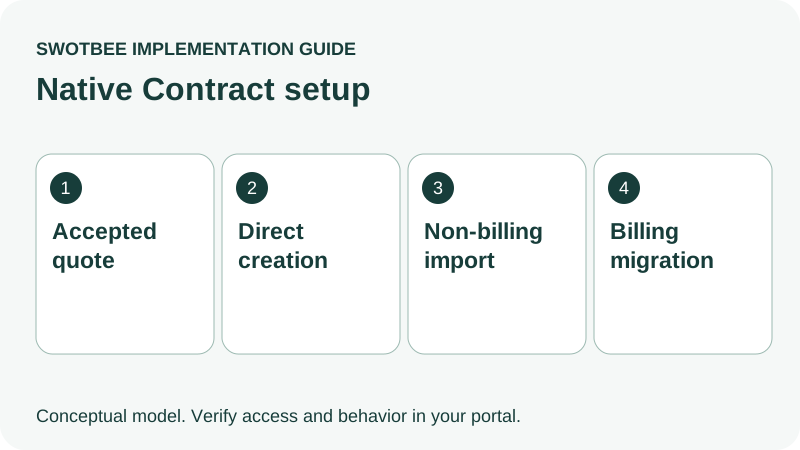
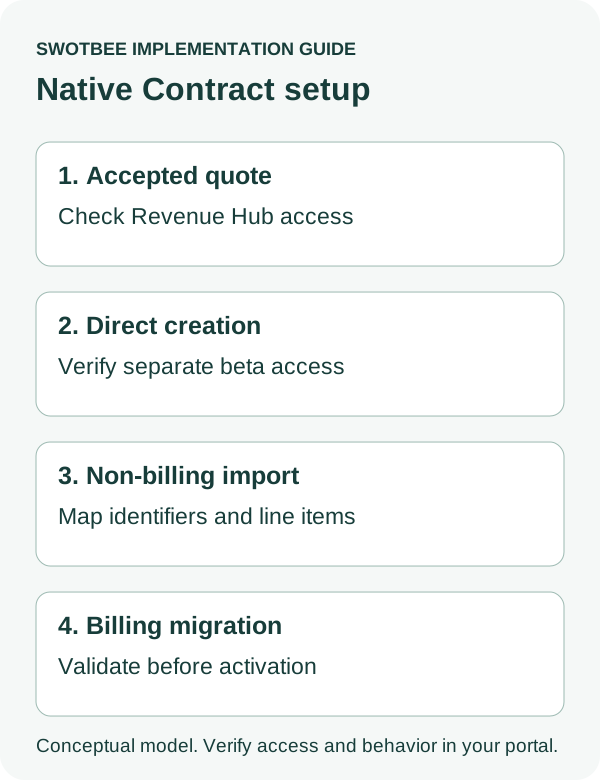
HubSpot Contracts can record customer revenue commitments through several setup paths: accepted Revenue Hub quotes, direct creation, non-billing import and billing migration. Their access requirements differ. Renewal quotes retain Revenue Hub Professional/Enterprise and seat conditions, while the direct-create beta has a separate exception. Choose the path before configuring renewal automation.
Three things you can take away:
- A native access decision: use the setup-path table to check creation, import and renewal-quote requirements against your portal’s tiers, seats, permissions and beta access.
- A Contract import and setup pilot: copy the filled worksheet to keep two customer agreements distinct, preserve recurring and one-time items, and record the intended billing behavior.
- A renewal acceptance plan: use the renewal quote checks and activation checklist to verify ownership, dates, inherited terms, prior/new Contract relationships and duplicate prevention.
Start by choosing the path for one agreement and completing its access checks. Record whether the pilot should only create a commercial record or also change billing, before activating any workflow or migration.
What is a HubSpot Contract record?
A native Contract is a commercial revenue record, not a replacement for your signed legal agreement. Keep commitment, opportunity, billing and legal evidence distinguishable.
According to HubSpot’s Contract overview, Contracts centralize committed revenue and related commercial details. They do not replace legal contracts. Store or reference the executed MSA/SOW through the reviewed document process.
| Item | Role in the implementation |
|---|---|
| Legal agreement | Executed terms, scope and reviewed obligations |
| Commercial Contract | Revenue commitment and selected native lifecycle |
| Deal | Sale, expansion or renewal opportunity |
| Subscription | Billing or reporting role under the configured flow |
| Invoice/payment | Financial obligation and collection evidence |
An accepted quote can create associated records under the relevant settings. An attached signed PDF alone does not prove a commercial Contract or billing schedule was created.
For choosing among native records, external documents and deal-based arrangements, use the HubSpot contract architecture pillar. This guide focuses on native setup after that decision.
Which HubSpot Contracts setup path can you use?
Check each action against its own entitlement, permission and beta conditions. Access to record creation does not establish access to renewal quotes or connected billing.
| Path | Current documented condition | What to verify |
|---|---|---|
| Accepted Revenue Hub quote | Current quote tool and Contract creation setting | Tier, seat, quote type and billing behavior |
| Direct creation/edit/renewal | Direct Create, Edit, and Renew HubSpot Contracts beta; listed for all plans | Enrollment and Contract permissions |
| Non-billing import | Documented Contract import path | Unique identifier, associations and access |
| Billing migration | Separate Billing Migrations onto Revenue Hub Contracts beta | Processor, continuity and activation conditions |
| Renewal quote | Revenue Hub Professional/Enterprise and Revenue Hub seat | Contract and Deal permissions |
These conditions come from direct-create documentation, Contract import instructions, migration documentation and renewal-quote instructions.
Write down the portal’s actual subscriptions, assigned users, enrolled betas and available actions. A general “Professional” label is insufficient because hubs and actions differ. Beta documentation is not proof your account has already enrolled or that a future rollout will retain identical conditions.
How do you configure Contracts from accepted quotes?
Review the Contract creation setting and billing flow before publishing quotes. Existing published quotes, draft quotes and legacy quotes require separate checks.
In the documented settings path, select Objects > Contracts and review Create contracts from accepted quotes. HubSpot’s settings guide says legacy quotes do not create Contracts; published quotes retain their publication-time flow, while drafts use current settings.
The connected CPQ, billing and payments beta adds billing behavior. In that flow, Contracts control billing, and associated recurring Subscription records can be non-billable reporting records. Editing those Subscription records does not control Contract billing.
Before changing the setting, inventory open quotes and existing agreements. For each, record the intended controller and expected result on acceptance. Test an older published quote separately from a new draft. Do not assume one toggle retrofits all existing commercial records.
Use the HubSpot quote-to-cash guide for finance handoff and accounting responsibilities.
How do you create Contracts directly in HubSpot?
Use the direct-create beta when the intended commercial record fits that path, and configure the agreement and billing behavior deliberately. External CPQ does not automatically require a deal-only architecture.
HubSpot’s direct-create guide documents creation from Revenue > Contracts > Add contracts > Create new and from supported associated records. Super Admin or appropriate Contract creation permissions are required.
Prepare the agreement before entering it:
- Identify the customer entity, payer and relevant contacts.
- Preserve a stable agreement key and executed-document reference.
- Review start date, term, currency and recurring/one-time items.
- Decide whether HubSpot will bill or merely record the commercial agreement.
- Confirm expected associations and operational owner.
- Review the created record against the source evidence.
These preparation steps are an implementation checklist, not a universal sequence of UI fields. Follow the current form and actual account access. A directly created revenue record does not send a legal agreement through PandaDoc or DocuSign by itself.
How do you import existing non-billing Contracts?
Use the documented import route for commercial records without transferring billing continuity. Prepare unique identity and associations before loading historical data.
The Contract import guide specifies a unique single-line text Contract property, separate rows for multiple line items and deal Record IDs for associations. Its example identifier is contract_import_id; adapt the file to the actual importer rather than treating this article’s worksheet as an upload-ready CSV.
One official settings page still says imports are unavailable. The dedicated import and direct-create documentation now describe supported paths. Use those instructions and verify portal access; do not turn the contradictory rollout wording into a permanent feature-absence claim.
Pilot two agreements for the same company, with different dates and line items. Compare source agreements, imported identities, associations and expected counts. Check that the original won deal remains an auditable sale snapshot.
Re-import behavior needs its own test. Do not casually assume Contract, deal and line-item deduplication follow the same identity rules. Historical records should not enter current sending, onboarding or billing workflows unless explicitly intended.
When is import a billing migration?
It is billing migration when the new process takes responsibility for invoice schedules or collection, rather than only recording historical commercial data. That requires a finance-approved cutover.
HubSpot’s migration guide documents a separate beta, processor requirements and draft validation. Final activation can commence billing. Its localization pilot is an end-to-end process, not merely a harmless preview.
For every agreement, review the last old invoice, first new invoice, open receivables, payment method, dunning, customer messages and accounting return. Assign who approves stopping the old controller and starting the new one.
Do not imply every existing HubSpot Subscription can be converted in place. Confirm source, migration format and continuity requirements. Likewise, a non-billing record import should not be presented as a completed finance migration.
The Stripe connection guide helps distinguish processing, visibility and migration. The QuickBooks guide covers reconciliation when QuickBooks is the accounting destination.
How do you set up renewal alerts and dates?
Use native renewal alerts for visibility and a reviewed agreement-specific date for accountable action. End date, notice deadline, renewal effective date and billing date are different fields.
HubSpot’s settings guide documents approaching-renewal alerts and Contract-based workflows using Renewal date. A visible alert is not a task assignment or evidence that the responsible owner acted.
Test your line-item patterns. The Contract overview describes fixed-term, evergreen and one-time date behavior. Do not design every reminder around an end date that might not exist.
An annual support agreement with a reviewed 90-day notice rule needs an earlier decision than a project with no renewable commitment. Have the appropriate reviewer confirm the actual deadline, then decide when the owner must prepare the renewal. This is process design, not a universal legal date formula.
Reuse the renewal properties guide and reminder guide for deeper date and escalation setup. A fixed T-120 cadence should not override the actual agreement terms.
How do you create a renewal quote and deal?
Create the renewal quote from the intended Contract and associate it with the intended opportunity. Review inherited terms and prevent competing automation from creating another renewal deal.
The renewal-quote guide documents manual creation and a deal-based Create renewal quote from contract workflow action. Select the Contract, template and new/existing deal as supported by that path.
Use the change and renewal template guide for template configuration. Before release, review:
| Template area | Acceptance check |
|---|---|
| Buyer/billing identity | Correct entity and approved contact |
| Recurring items | Current scope, quantity and schedule |
| One-time items | Included only where intended |
| Effective date/term | Matches approved next commitment |
| Discount/uplift | Required approval completed |
| Acceptance method | Appropriate reviewed policy |
Native renewal-quote inheritance is distinct from generic deal creation. A workflow-created deal should not be assumed to copy every source line item. Use the existing deal-based renewal automation guide when that is your chosen model.
What happens after acceptance or a mid-term change?
Verify the new commercial record, accepted version and billing result rather than treating acceptance as proof of the entire operational handoff. Preserve the original sale and earlier agreement history.
According to HubSpot’s renewal documentation, accepted renewal quotes create a new Contract associated with the prior one. Review that relationship and the intended effective date.
The change-quote guide documents recurring-item amendments with its own tier/seat conditions; one-time item changes are excluded from that path. Legal redlines and clause approval remain separate responsibilities.
Design post-acceptance controls for the renewal deal outcome, finance notification, next notice event and retention reporting. Do not describe those controls as automatic defaults unless confirmed in your account. Compare prior and renewed recurring components using the NRR/GRR reporting guide, with one-time amounts treated separately.
Copy this native Contract pilot worksheet
Use the worksheet to specify one agreement and a second agreement under the same customer. The sample fields and IDs are illustrative; they are not an importer file or tested native mappings.
| Check | Filled example | Acceptance condition |
|---|---|---|
| Agreement identity | SUPPORT-01, source deal 801 | Project agreement PROJECT-02 remains distinct |
| Legal evidence | Reviewed executed SOW reference | Authorized users can access current version |
| Selected creation path | Non-billing historical import | No unintended invoice or charge |
| Commercial schedule | USD 1,000/month for 12 months | Recurrence, term and currency correct |
| Separate setup fee | USD 2,000 once | Not copied into each recurring period |
| Ownership | Named renewal owner and backup | Missing owner produces an exception |
| Notice rule | Reviewed contract-specific deadline | Task timing follows approved terms |
| Next opportunity | One renewal event/deal | Repeated enrollment creates no duplicate |
| Renewal quote | Intended template and effective date | Inherited items reviewed before sending |
| Acceptance | New Contract linked to prior Contract | Original won-sale evidence retained |
Record actual results, reviewer and test date beside each condition. Test at least one fixed-term agreement, an evergreen arrangement, a changed recurring agreement and an imported agreement relevant to your business. Keep internal pilot records out of executive reports and customer sending.
When should you add an app or custom automation?
Add it when a required behavior remains unmet after testing the selected native path. Native availability and account eligibility should be assessed first.
Examples to investigate include a demonstrated legacy-data normalization need, a complex co-terming rule, a particular external document handoff or a bulk action the current path cannot perform. Those are scoping questions, not blanket claims that native Contracts cannot handle them.
Use the document integration hub for legal document workflows and the architecture pillar for alternative record models. Keep an existing working connector when it meets the actual requirement.
What should pass before broader activation?
Approve the native path only after record, renewal and any intended billing evidence reconcile. Include failures as well as the happy path.
- Selected action’s tier, seat, permissions and beta access confirmed.
- Contract, legal document, deal and subscription responsibilities documented.
- Published, draft and legacy quote behavior tested separately where relevant.
- Unique import identities and correct associations verified.
- Non-billing import creates no unintended collection.
- Billing migration has an approved continuity and activation plan.
- Notice, renewal and billing dates retain separate meanings.
- Renewal owner and missing-data exception are assigned.
- Quote inherits the intended current terms and approval policy.
- Repeated workflow execution creates no second renewal opportunity.
- Acceptance preserves prior/new Contract relationships and original sale history.
- Finance and reporting checks use the correct recurring and one-time amounts.
For the detailed acceptance work, use existing-agreement import checks, and active-agreement amendment handoffs.
Frequently Asked Questions
Can native Contracts be edited, renewed or terminated?
HubSpot documents Contract management actions, including direct and quote-based paths with different access conditions. Select the supported action for the record and confirm its effective date, history and billing impact. Do not edit a reporting-only subscription as a substitute for changing the billing controller.
Are HubSpot Contracts available without Revenue Hub seats?
The direct-create beta has a documented seat exception and is listed for all plans. Renewal quotes and connected Revenue Hub billing have separate requirements. Verify the action you intend to use.
Can HubSpot import existing customer agreements?
Current dedicated documentation describes non-billing import and a separate billing-migration beta. Check the selected route, account access and associations rather than relying on older no-import wording.
Can an existing deal automatically become a Contract?
A won deal alone is not the same as the documented quote-acceptance, direct-create or import path. Choose and test a supported route; preserve the original opportunity history.
Do renewal quotes copy line items?
The native Contract-based renewal path carries commercial context into the quote. Review current items and terms. Do not extend that behavior to every generic deal-creation workflow.
Does a Contract alert cover our cancellation notice obligation?
Not automatically. Review the actual legal terms, store the correct deadline and test accountable actions. An approaching end-date alert may serve a different purpose.
Choose the native path by the agreement you need to operate, then verify its renewal and billing behavior.
Request a discovery call to discuss your native HubSpot Contract setup.


