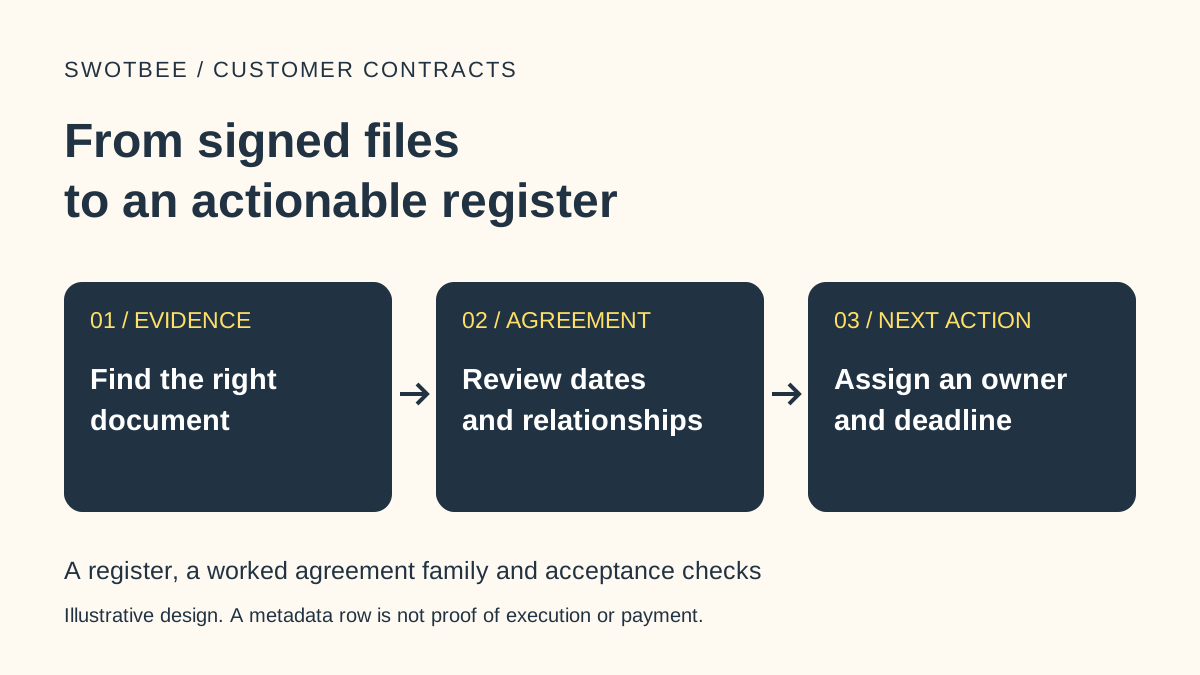
This worked example supports our HubSpot contract management guide.
HubSpot Contracts manage commercial commitments, while deals track sales opportunities and legal documents establish the agreed terms. Invoices and payments answer separate billing questions. Give each independently managed agreement an identity, then specify which record owns each important fact before automating updates.
The challenge becomes visible when one customer buys two services. A company-level end date cannot tell Sales Ops which agreement needs attention. A deal amount cannot tell Finance whether an invoice was paid.
Download the editable record-mapping workbook (Excel) and printable responsibility worksheet (PDF). Use the completed example, then map one real agreement’s sources, owners and verification evidence. These resources accompany the record-responsibility video.
How do HubSpot Contracts and CRM deal records differ?
Each record should answer a clear operational question. According to HubSpot’s Contract overview, a Contract centralizes committed revenue and commercial details. It does not replace the legal agreement.
| Record or evidence | Question it answers | Check before relying on it |
|---|---|---|
| Company | Who is the customer? | Correct entity and relationship |
| Legal document set | What did both parties agree? | Executed version, schedules and accepted amendments |
| Deal | Which sale, expansion or renewal opportunity is managed? | Correct opportunity and outcome |
| Quote | What proposal was presented for acceptance? | Correct buyer, version and acceptance state |
| Contract | Which commercial commitment is managed? | Source, services, term, line items and status |
| Invoice and payment | What was billed, and what payment activity occurred? | Correct agreement association, amount and status |
| Subscription | Which recurring billing or reporting job applies? | Actual billing controller for this configuration |
Association is useful evidence of a relationship. It does not prove that all linked records contain the same values or update together. HubSpot’s line-item documentation explains that line items belong to distinct parent records. Compare the actual items and source terms when checking a handoff.
What belongs on the HubSpot deal record?
Use the deal record to manage the opportunity’s owner, deal stage and commercial outcome in the sales pipeline. Sales teams need that opportunity history even when an associated Contract becomes the operational home for the accepted commitment.
For Solar Support, keep the source sales opportunity identifiable in HubSpot CRM. A later renewal can have a new deal with a different next action. Creating that deal does not prove the customer accepted another term, and a signed contract does not establish that every copied field was updated.
Before automation, write a specific workflow rule: when Sales changes the source proposal, Sales Ops compares the affected contract data, records the mismatch and assigns the next review. Test the rule with one source version change before extending the sales process to other agreements.
Does every service need a separate Contract?
Separate agreements when their terms and lifecycle are managed independently. Several services under one commitment can instead share a Contract with several line items. Counting products alone is an unreliable architecture rule.
In the video’s fictional Cedar Vale example, Solar Support runs from 1 November 2026 to 31 October 2027. Battery Monitoring runs from 1 December 2026 to 30 November 2027. The services have distinct scopes and renewal decisions, so we give each its own agreement identity.
Use a stable source key such as CV-SOLAR-01 and CV-BATTERY-01 in your mapping worksheet. These are illustrative identifiers, not native HubSpot property names. Record the customer, source document and relevant CRM records against each key. A shared Company association should not let Battery Monitoring’s deadline overwrite Solar Support’s deadline.
If you need the native creation steps after choosing the model, use the Contracts and renewal quotes setup guide.
Why can the monthly price and total value disagree?
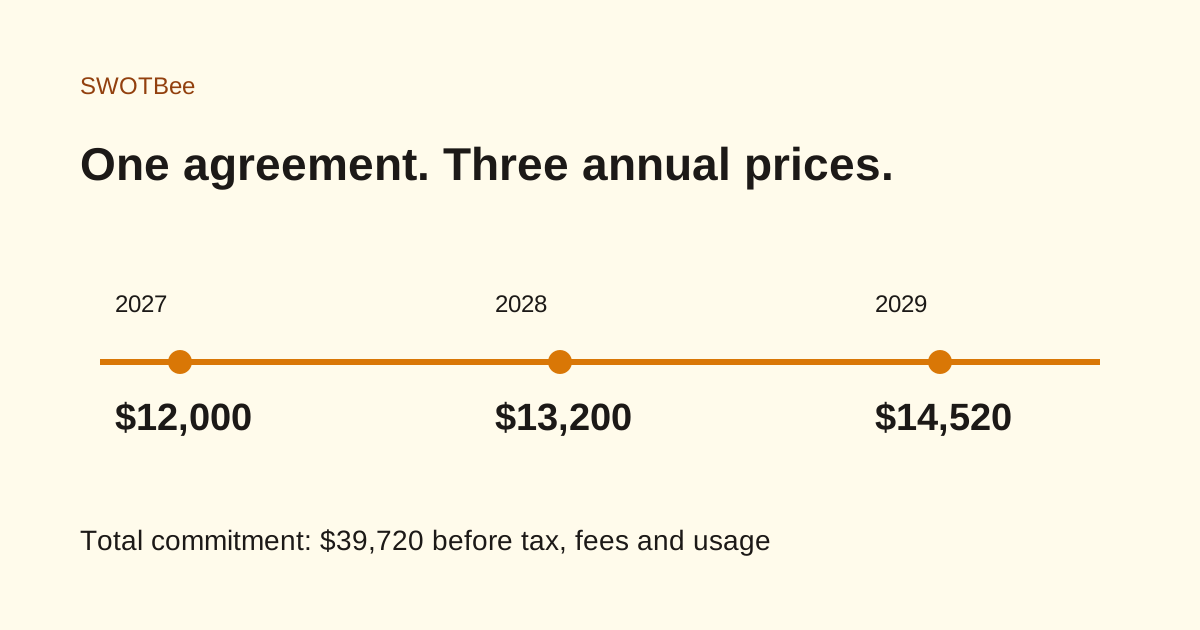
They describe different measures. Solar Support is $1,000 per month, quantity one, for 12 payments: $12,000 across that fixed term. Battery Monitoring is $250 per month for 12 payments: $3,000 across its separate term.
A $1,500 commissioning fee would add to commitment value if it belongs to the same agreement. It would not add $1,500 to the recurring monthly rate. The video drafts exclude that fee from their recurring totals.
HubSpot’s default deal-property guide distinguishes Amount, ARR, MRR and TCV. ARR/MRR use recurring line-item values and terms; TCV also includes one-time charges. Do not use a matching number as proof that the underlying definitions match.
Deal ARR/MRR require Sales Hub Professional or Enterprise. That entitlement is separate from the direct Contract beta, so verify permissions and access for the actual fields and actions your team will use.
Name the field, currency, period and source when comparing records. A populated draft, accepted proposal, issued invoice and successful payment are separate states. None should stand in for another.
What does the Subscription record control in HubSpot?
Identify the billing route before deciding where to change a price. Standard subscriptions can manage recurring billing. In the connected CPQ, billing and payments process, the Contract controls billing and the associated Subscription supports reporting. External billing needs its own named controller.
The video keeps HubSpot billing off. It demonstrates proposed records and comparisons, not invoices or collection. Your worksheet should name the billing system, accountable owner and external record reference. Check the actual configuration before assuming that changing a linked reporting record changes a customer’s charge.
What are the best practices for the record handoff?
Map the source and owner for each important field, then test whether another person can retrieve and interpret the evidence without guessing.
- Record the agreement key, source version and clause or page for scope, price, term and notice rules.
- Identify the operational record, copied locations, owner and checked date for each field.
- Compare both agreements under the same customer. Confirm their prices, dates and next actions remain distinct.
- Trace invoice and payment evidence to the correct agreement. Leave unobserved results blank and assign a follow-up.
- Change the source version in a controlled test and confirm the affected fields are rechecked.
The workbook separates a filled reference map from your editable evidence log. Finish with a named next action for every mismatch. For broader choices about native records, documents and integrations, return to the contract management architecture guide.
Sources checked 19 October 2026. The example is fictional; a correct worksheet does not establish that an account integration or billing process has been tested.