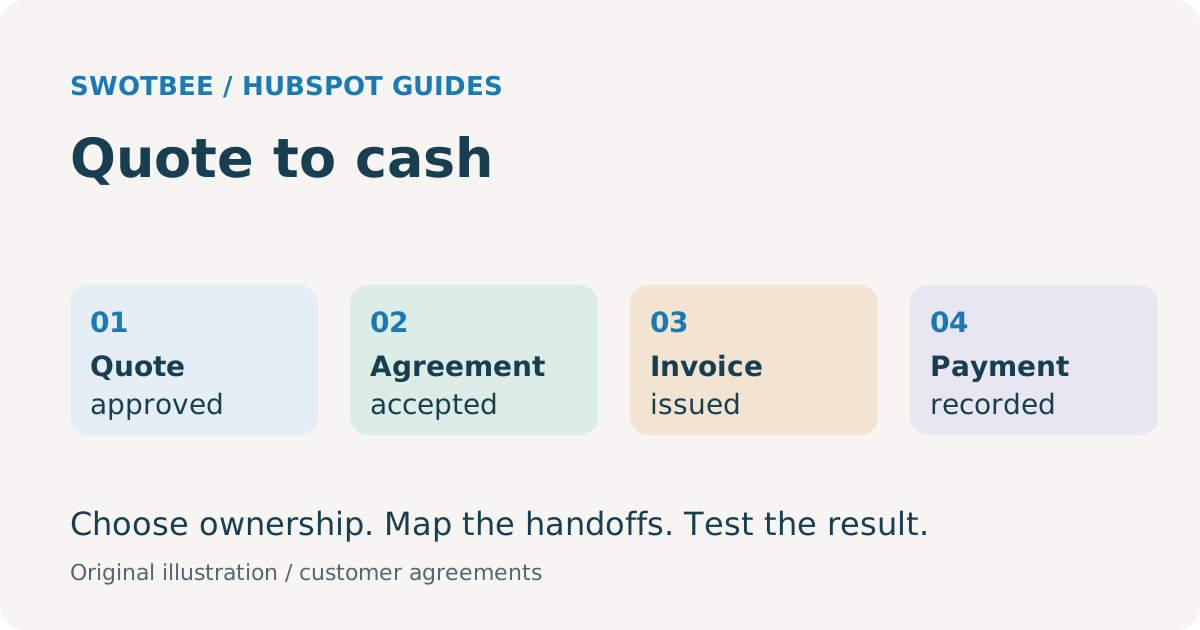
HubSpot quote to cash connects approved commercial terms to the customer commitment, invoice, payment and accounting record. Choose which system controls each stage, preserve stable agreement and line identifiers, and test the handoffs after acceptance and amendments. Native Revenue Hub and existing document or accounting tools can both form part of that process.
The difficult question is often not “Can these apps connect?” It is “Which accepted version should finance bill, from which date, and how will we know the update reached the right account?”
For the general lifecycle, see our quote-to-cash process guide. This guide focuses on implementing those handoffs with HubSpot.
Your takeaway: a quote-to-invoice reconciliation worksheet. Use the filled service example to separate recurring and one-time amounts, select the billing controller and compare accepted terms with the first invoice and returned payment evidence.
For product, pricing and approval configuration, use the HubSpot CPQ setup guide. For Xero invoice ownership and reconciliation, use the HubSpot Xero integration guide.
What stages of quote-to-cash should HubSpot connect?
Connect the commercial decision, accepted agreement, billing instruction and financial result through explicit state transitions. Each transition needs evidence and an owner.
| Stage | Evidence needed | Source-of-truth decision |
|---|---|---|
| Quote prepared | Correct products, quantities, currency, recurrence and terms | Selected CPQ/quote system |
| Commercial approval complete | Applicable approvals on the intended version | Approval process owner |
| Customer acceptance complete | Required acceptance/signature evidence | Quote or document system |
| Commercial commitment active | Correct agreement, term and effective date | Selected Contract/agreement register |
| Billing instruction accepted | Customer account and billable schedule validated | Billing controller |
| Invoice issued | Invoice ID, lines, taxes, currency and due date | Designated invoicing system |
| Payment recorded | Payment allocation and settlement state | Billing/payment system, reconciled with finance |
| Accounting reconciled | Ledger, credits, fees and applicable revenue treatment | Finance’s accounting system |
The legal document, commercial Contract, opportunity deal and Subscription remain separate concepts. An accepted quote may create commercial records; that does not make every attached MSA, deal or recurring object the billing authority.
Use the HubSpot contract management guide to settle the agreement model before wiring finance automation. Keep recognition policy and accounting close under finance ownership rather than inferring them from “Closed Won.”
Should HubSpot or your existing tools control the process?
Choose a controller for quoting, agreements and billing based on required behavior and existing operational commitments. Avoid two systems issuing the same invoice or recalculating the same charge independently.
| Architecture | Good reason to consider it | Required boundary |
|---|---|---|
| Native quotes and connected Contract billing | Native commercial and billing behavior fits the agreement | Verify Revenue Hub seats, connected beta, processor and accounting handoff |
| HubSpot commercial records with external billing | Finance already runs an appropriate billing/accounting system | Define approved billing instructions and returned invoice/payment visibility |
| External document/CPQ with HubSpot CRM | Templates, review or quoting already run in another tool | Capture accepted version and terms, then map them to the selected agreement/billing model |
| Hybrid by agreement family | Different services genuinely require different paths | Explicit routing and cross-system reconciliation; no accidental dual billing |
According to HubSpot’s connected CPQ, billing and payments guide, the beta requires Revenue Hub Professional/Enterprise and a Revenue Hub seat. Quote acceptance can create a Contract, billing schedule and invoices. Recurring Subscription records in that flow can be non-billable reporting records: editing them does not control Contract billing.
Use the separate Contract settings documentation to verify current settings and legacy-quote behavior. Published and draft quotes can retain different billing-flow behavior. Test both during any transition.
What should you check in HubSpot Revenue Hub CPQ and quotes?
Check the current Revenue Hub quote tool against your actual pricing and acceptance requirements. Do not rely on descriptions of legacy quotes to judge today’s CPQ capabilities.
HubSpot’s current quote guide documents Revenue Hub Professional/Enterprise and an assigned seat, with flat-rate, tiered and ramp pricing. It also describes line-item and deal-amount changes when quotes are published, including different line-item record IDs.
For a recurring service, test quantity changes, discount exceptions, future ramps and the one-time setup fee. Establish whether the document shown to the customer and the data passed to billing express the same schedule.
Commercial approval, legal review and signature are separate gates. Decide which system owns each gate and how a changed version re-enters review. The document-integration guide covers PandaDoc and DocuSign workflow choices.
Do not use a generic “deal moved to Closed Won” trigger unless that state reliably establishes all prerequisites for billing. Some implementations need additional acceptance, customer-account or billing-readiness evidence before creating the downstream record.
In what order should you configure HubSpot quote-to-cash?
Configure products, customer matching and acceptance rules before connecting live billing. Run one agreement through the selected revenue process, then add amendments, renewals and accounting reconciliation.
Use this implementation order for a B2B service agreement:
- Products: map the product library and destination SKUs, separating one-time and recurring revenue.
- Customer data: confirm buyer, payer, billing contact and external account IDs.
- Quote creation: configure pricing, currency, billing frequency, contract terms and required approvals.
- Acceptance: verify the signed quote or document version and the associated deal record and commercial Contract.
- Billing and payments: enable the chosen controller after its schedule and collection settings pass review.
- Accounting: reconcile invoices, credits, payments and fees, then test failed handoffs and retries.
HubSpot’s revenue journey guide describes products, deals, quotes, Contracts, invoicing and payment collection as connected parts of Revenue Hub. It also documents invoices/payment links and online collection using HubSpot payments or Stripe processing. Account eligibility and regional restrictions still require checks.
In revenue operations, “source of truth” should name the authoritative system for each field. HubSpot CRM may hold the commercial context while finance retains the ledger. Agree that boundary before enabling synchronization.
What data should cross the agreement-to-billing handoff?
Send the approved billing instruction with stable identifiers and explicitly typed commercial values. A total amount and company name leave too much ambiguity for recurring agreements.
Copy this worksheet into the implementation scope. Labels are proposed design fields, not guaranteed native fields or a provider API payload.
| Data | Design rule | Test |
|---|---|---|
| Agreement Key and accepted version | Tie instructions to one approved commitment | Replacement proposal cannot bill alongside the accepted one |
| CRM deal/Contract ID | Preserve originating sales/commercial context | Finance result can be traced back to the correct agreement |
| External customer/account ID | Use explicit customer matching | Two similar company names do not share an invoice |
| Legal buyer and billing party | Keep recipient/payer distinction | Billing goes to the intended entity |
| SKU and external product/line key | Define a cross-system mapping | Reordered or replaced lines keep the correct service meaning |
| Quantity, unit price, discount, currency | Preserve units and amount basis | Amount recalculation matches the accepted terms |
| Recurrence, term and effective date | Represent schedule explicitly | Monthly charges do not become an annual one-time invoice |
| Tax/payment terms | Finance-approved values and supported connector behavior | Tax, due date and currency pass validation |
| Amendment/event ID | Identify change and duplicate processing | Retry creates no duplicate invoice or order |
| Invoice/payment references and exception status | Return operational evidence | CRM users can distinguish pending, failed and reconciled |
Keep one owner per authoritative field. If finance changes a billing address, define whether that updates the customer master, this agreement only, or both. Do not enable bidirectional overwrites simply because the connector offers them.
What do the accounting and payment integrations cover?
Treat each named integration as a specific product with documented scope. Contact synchronization, invoice synchronization and payment processing are different jobs.
QuickBooks Online: check invoice and payment constraints
The HubSpot QuickBooks Online guide documents configurable object synchronization and Data Hub Starter-or-higher custom mappings. It also identifies editing restrictions for HubSpot-origin invoices, unsupported multi-invoice payment sync, and processing fees that do not automatically create an accounting expense.
For a concrete test plan, see the HubSpot QuickBooks invoice sync and reconciliation guide.
Test the correct billing contact and company association, invoice origin, tax behavior, credits and payment allocation. Avoid running a paid-invoice creation workflow alongside invoice sync without checking duplicate creation. Regional tax statements in the documentation are inconsistent, so non-US applicability needs account-specific verification.
The guide says QuickBooks sandbox accounts cannot connect through this app. Design a safe validation arrangement with finance; do not promise a standard end-to-end sandbox test for every connector.
Xero: test products, invoice origin and tax behavior
The official Xero Data Sync guide documents contacts, products, invoices and payments, with object-specific directions and Data Hub Starter for custom mappings. It lists six supported currencies, HubSpot-origin invoice-edit rules, SKU-change problems and automated-sales-tax incompatibility for outbound invoices.
Confirm that customer and product records exist in the destination before invoice creation. Test the agreed tax rates and a changed product rather than assuming “two-way” permits every edit. Historical payment coverage also needs attention: new payments after connection and past payment history are different scopes.
NetSuite: separate data sync from sales-order creation
The HubSpot NetSuite connection guide documents object sync and separate authorization for additional features. Custom mappings need a Data Hub subscription; exact field support remains part of configuration review.
The sales-order guide separately specifies product/item matching, required order fields, currency conditions and customer sync for workflow creation. A sales order is not proof that invoicing, revenue recognition and amendments all reconcile.
Scope subsidiary, customer ID, service item, agreement reference and order-update behavior. Use the NetSuite data-mapping guide as related reading, while checking its claims against the selected connector version. Do not extrapolate one connector’s limits to all middleware or custom implementations.
Stripe: distinguish processing from external Stripe Billing
HubSpot’s Stripe payment-processing guide describes collection for HubSpot revenue tools. Connecting does not import or change existing external Stripe subscriptions; HubSpot-created invoices and subscriptions are not created as equivalent records in Stripe. Country and account restrictions apply.
Use the Stripe HubSpot connection decision guide to compare payment processing, data sync and billing migration.
If Stripe Billing remains your subscription authority, write that as a separate integration requirement. Do not call payment processing a migration of the existing subscription book. Validate the merchant’s location, permitted currency, fees and chosen workflow before offering native collection.
How do amendments and recurring charges change the design?
Model a change as an approved effective-dated event. Do not silently overwrite the original commitment or treat every edited line as a new sale.
HubSpot’s change-quote guide documents updates to recurring line items, including price and term changes, with Revenue Hub/seat requirements. One-time line-item changes are excluded from that path.
For an external billing controller, determine how an accepted change becomes a revised schedule, invoice or credit. Finance should define proration, tax, rounding and closed-period handling. Compare the calculated result across systems rather than assuming they use identical conventions.
Test a future price ramp, mid-term seat increase, partial cancellation and one-time correction separately. Also test what happens if the amendment is approved but the downstream update fails. An active old price with a signed new price is an operational exception that needs an owner.
Renewal is another distinct event. The HubSpot renewal guide covers ownership and opportunity progression; this guide owns the accepted-term-to-billing transition.
What does a service agreement example look like?
Trace a recurring service and one-time charge through the agreed schedule, rather than using the deal total as the invoice instruction. The following numbers are illustrative, not a SwotBee customer result.
A service business sells 20 support units at USD 50 per unit per month for 12 months, plus a USD 2,000 one-time setup fee. Assuming no discounts or tax, recurring commitment is USD 1,000 per month and USD 12,000 over the term. Combined commitment is USD 14,000; it is not USD 14,000 ARR.
Under an illustrative monthly-in-advance policy, the first invoice might contain USD 1,000 support plus USD 2,000 setup. Later monthly invoices contain support only. Confirm start date, service period and tax separately.
Copy this reconciliation worksheet and replace the assumptions with your actual agreement. This example assumes twelve full monthly charges, no tax or discount, and one setup charge:
| Checkpoint | Expected result for A-101 | Actual result / exception owner |
|---|---|---|
| Accepted version | 20 units at USD 50/month; 12 months; USD 2,000 setup | |
| Billing instruction | USD 1,000 monthly recurring plus one USD 2,000 charge | |
| First invoice | USD 3,000, split into support and setup lines | |
| Following 11 invoices | USD 1,000 each, support only | |
| Term reconciliation | USD 12,000 recurring + USD 2,000 setup = USD 14,000 | |
| Recurring annualized basis | USD 12,000, excluding setup | |
| Payment evidence | Invoice ID, allocation, currency and outstanding balance returned | |
| Retry check | Replaying the accepted-version event creates no second order or invoice |
If the first invoice is USD 14,000, check whether the integration incorrectly used total commitment as the monthly billing instruction. If a later invoice repeats setup, inspect recurrence and event replay. Payment collection and revenue recognition remain separate finance checks.
If the customer adds five units later, the accepted amendment should specify its effective date. Finance determines the appropriate incremental billing or proration. The test compares the approved change, updated commitment, next invoice and CRM visibility.
This same method works for SaaS subscriptions, maintenance agreements and professional-service retainers. It does not assume all those businesses should use the same billing tool.
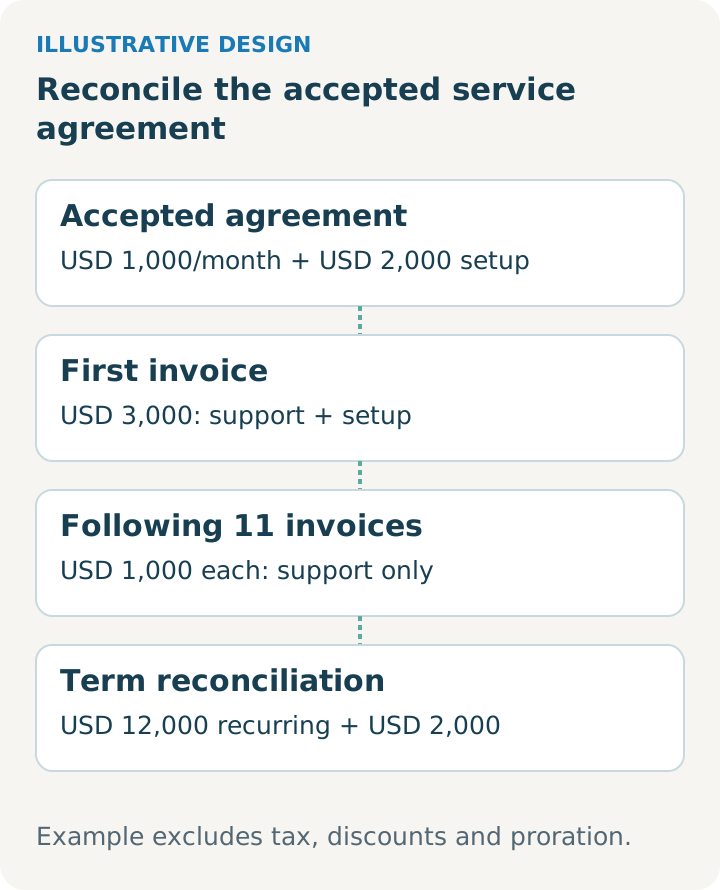
Illustrative design. Use it alongside the worksheet and adapt it to your reviewed agreement and selected tools.
How do you reconcile the flow and plan cutover?
Reconcile agreement events, billing instructions, invoices and payments using their identifiers and amount bases. Cutover should make the last legacy and first new billing events explicit.
Use an exception register with agreement key, event/version, destination ID, expected amount/currency, actual result, failed step, owner and next action. Review agreed-but-unbilled events, duplicated instructions, overdue invoices and unallocated payments as separate categories.
The billing migration beta guide warns that activation cannot be undone through migration and does not stop legacy billing. Historical recurring-revenue continuity is not a recreation of historical invoice/payment records.
For a data-only integration, do not move billing ownership as an accidental side effect. For a billing cutover, finance should approve schedule counts, first invoice periods, opening receivables, payment references and legacy shutdown. Keep a hold point before activation and an agreed recovery procedure if post-cutover checks fail.
What should pass before quote-to-cash goes live?
Run representative new-sale, amendment, renewal and failure scenarios through the selected tools. Record expected financial and CRM results before anyone triggers live billing.
Practical checklist:
- Quote, accepted document and billing instruction agree on customer, scope and version.
- Missing approval or acceptance evidence blocks downstream creation.
- One-time and recurring charges retain their separate schedules and amount bases.
- Product/customer mappings and required destination fields pass validation.
- Tax, currency, payment terms and supported regional behavior are confirmed.
- Replayed events produce no duplicate order, subscription or invoice.
- Line replacement, quantity change and future ramps preserve intended meaning.
- Mid-term amendment, credit, partial renewal and cancellation reconcile.
- Payment failure, partial payment and processing fees follow the agreed finance procedure.
- Failed handoffs appear in an exception view with a named owner.
- Migration reconciles last legacy and first new invoices without duplicate billing.
- Administrators receive mapping rules, connection ownership and operational instructions.
Measure accepted agreements awaiting billing, reconciliation exceptions and time to resolve them. Improved results require reliable configuration and team use; connector installation alone does not guarantee cash-flow or revenue outcomes.
For the detailed acceptance work, use mid-term changes and financial acceptance, and non-billing agreement import boundaries.
Frequently asked questions
Does HubSpot have CPQ? Current Revenue Hub quotes are documented as part of HubSpot CPQ. Compare the present feature and access requirements with your pricing rules, rather than assuming legacy limitations apply.
Does signing mean an invoice is ready? Only when the approved workflow also has the required customer, schedule, tax and billing data. Signature and finance readiness are separate gates.
Can finance keep NetSuite, Xero or QuickBooks? Yes, an architecture can retain external accounting or billing. Confirm the exact controller, connector scope and reconciliation requirements for your stack.
Does Stripe processing sync our existing Stripe subscriptions? Do not assume so. The native payment-processing connection and an external Stripe Billing integration are distinct requirements.
Should we create a new deal for every monthly charge? Usually the monthly invoice is evidence of billing an existing commitment, rather than a new sales opportunity. Define the report’s unit before creating child deals. Track genuinely new sales, expansion and renewal events separately from recurring invoices so the opportunity pipeline does not count each charge as another win.
How do we handle upgrades and price changes without losing the original sale? Preserve the accepted original version, then record the approved change and its effective date. The selected billing controller applies the revised schedule. Reconcile the change against the next invoice or credit; changing the deal amount alone does not prove that billing changed correctly.
Can HubSpot run quote-to-cash end to end? HubSpot Revenue Hub offers connected quotes, commercial Contracts, billing and payment tools, subject to feature-specific subscriptions, seats, settings and beta access. Test the full process against your pricing, location and finance requirements. Native commercial billing does not remove the legal-document or accounting responsibilities described in this guide.
Is CPQ the same as quote-to-cash? CPQ covers configuring the offering, pricing it and producing the quote. Quote-to-cash also covers acceptance, the customer commitment, billing and collection. Use the CPQ comparison guide for that broader distinction; this article explains the HubSpot implementation handoffs.
How long does a HubSpot quote-to-cash implementation take? Estimate it after reviewing the pricing rules, agreement data, approvals, connector mappings and cutover scope. A simple new-sale workflow and a historical billing migration need different work. The pilot’s unresolved exceptions provide a more useful basis for a schedule than a generic promised number of days.
Discuss your quote-to-accounting handoff
SwotBee has delivered integrations involving accounting tools. The next step should begin with your existing workflow and the concrete handoff that needs configuring or repairing.
Request a discovery call about your HubSpot quote-to-cash workflow. Bring an anonymized agreement, billing schedule and current tool plans.


