
This guide supports our HubSpot Quote to Cash pillar. It focuses on the specific implementation job below.
HubSpot contract amendments change an active customer’s commercial terms. Use a native change quote when the change needs a quote-based acceptance process, or evaluate the direct-edit beta for an approved administrative route. Specify the effective date, legal version, recurring-value movement and billing result before changing the record.
Three things you can take away:
- A before-and-after change specification.
- A worked recurring-value and proration example.
- An acceptance and recovery checklist.
Start here: choose one mid-term service upgrade. Record the current accepted terms, the proposed effective date and the finance-approved billing treatment.
Download: HubSpot contract amendment workbook (Excel). Use the blank change specification, illustrative calculation and acceptance test plan. No signup is required.
Is this an amendment, a renewal or a new agreement?
An amendment changes an existing agreement during its active term. A renewal establishes the next term; a new agreement establishes another commitment. Keeping these events separate makes the current state and the revenue movement easier to reconcile.
For example, increasing support from 40 to 50 users on 16 October changes the current support agreement. Agreeing the next annual support term from 1 January is a renewal. Selling a separate backup service may create another agreement with its own dates and billing rules.
Use our HubSpot renewal pipeline guide for next-term opportunities and HubSpot CPQ guide for initial quote setup. This article owns the active-agreement change and its handoff.
What is the difference between a legal amendment and a Contract record change?
A legal amendment records the parties’ agreed change. A HubSpot Contract record represents commercial commitments in CRM. Editing that record is not, by itself, evidence that the customer accepted revised legal terms.
Keep the executed document version, agreement identity and commercial state connected. A change deal tracks the opportunity; a subscription or billing system governs the configured charge schedule. The four records have related jobs, but they are not interchangeable.
For a service provider, legal may approve a revised service scope while finance checks the invoice treatment and the account team confirms the delivery date. Define whose approval permits the commercial update. See the broader HubSpot quote-to-cash architecture for these responsibilities.
When should you use a HubSpot change quote or direct edit?
Use a change quote for proposing and accepting a change through quoting. Evaluate direct edit for changes that your approved process allows without that customer-facing quote path. Do not assume both routes have identical access or consequences.
According to HubSpot’s change quote guide, creation requires Revenue Hub Professional or Enterprise, a Revenue Hub seat, and Super Admin or Contract Edit permissions. A change quote must be associated with a deal. The guide limits changes through this route to recurring line items, excluding one-time lines.
HubSpot’s direct Contract creation guide documents the separate Direct Create, Edit, and Renew HubSpot Contracts beta. Check enrollment and the permissions for the chosen operation in the portal. Beta availability is not a promise that every production account exposes the same route.
Write down the route, account entitlement and approval evidence in the workbook. A small configuration test should precede changes to an active billing-enabled agreement.
What should a customer contract change specification contain?
Specify the existing state, proposed state and effective date under one stable change identity. That specification gives sales, legal, finance and operations a shared acceptance target.
| Field | Illustrative value | Acceptance question |
|---|---|---|
| Agreement and change identity | A-101 / CHG-003 | Does this change belong to the intended agreement? |
| Accepted starting version | SOW v3 | Is this the current approved baseline? |
| Proposed legal version | Amendment v1 | Who reviews and accepts it? |
| Current and proposed MRR | USD 900 / USD 1,200 | Are discounts and recurrence included? |
| Effective date | 2026-10-16 | Which billing period and service date does this affect? |
| One-time fee | USD 1,500 | Which separate approved charge route handles it? |
| Billing authority | Existing billing platform | Which system may issue the adjustment? |
| Return evidence | Change ID, accepted version, invoice reference | What proves each handoff completed? |
These are design labels, not a promised set of native import headers or built-in fields. Map them to the properties and integration payloads available in your account.
How do you calculate the change without confusing MRR and cash?
Recurring-value movement measures the change in ongoing revenue. A prorated adjustment measures a charge or credit for part of a billing period. The values answer different questions and should have separate fields.
In this illustrative example, monthly recurring revenue changes from USD 900 to USD 1,200. The expansion is USD 300 MRR. Under a deliberately chosen 30-day period with 15 chargeable days remaining, a simple proportional adjustment is USD 300 x 15 / 30 = USD 150.
That USD 150 is a workbook illustration, not a universal HubSpot proration formula. Compare the actual quote calculation with HubSpot’s documented proration settings and the billing provider’s period, rounding and effective-date policy. Record timezone, tax and any already-issued invoice treatment separately.
A USD 1,500 implementation fee is one-time revenue. It does not add USD 1,500 to MRR and cannot be changed through the recurring-only change quote route. Use an approved separate charge process. For cohort interpretation, use our HubSpot NRR and GRR reporting guide.
How should you implement the amendment handoff?
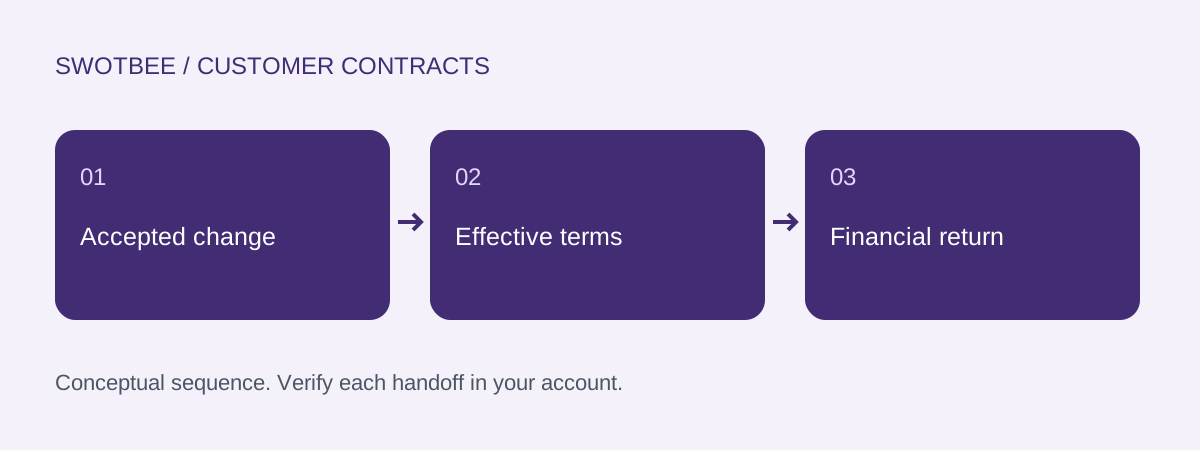
Implement a controlled sequence from the accepted starting version to the verified financial result. Each step needs its own evidence; one CRM status should not stand in for every step.
- Locate the current agreement and verify the customer, accepted version and commercial lines.
- Create the change specification and select the quote or approved direct-edit route.
- Review scope, price, effective date, proration and one-time charges with the responsible teams.
- Obtain the required legal and commercial acceptance through the chosen process.
- Check the resulting Contract state against the specification.
- Confirm the billing adjustment and accounting handoff in their owning systems.
- Record the change identity, returned identifiers and unresolved exceptions.
The native change quote documentation describes accepted quotes updating the Contract, creating an order and recording the change in history. Those native results do not establish that every external accounting connector has posted the corresponding transaction. Verify that return separately, including rejection handling.
What happens if acceptance fails or an event is repeated?
A rejected proposal should leave the last accepted baseline identifiable. A repeated completion event should not create a second financial adjustment for the same accepted change.
Use a change key such as A-101:CHG-003 and store the processed result. Before retrying, inspect which operations completed. If the Contract changed but the external invoice failed, recover the invoice handoff using the existing change identity; do not blindly submit the whole change again.
For corrections, retain the failed payload reference, error, owner and next action. If an accepted amendment must be reversed, use the approved commercial and financial correction path. Deleting a tracking field is not evidence that an invoice or legal change was reversed.
How should amended terms appear in renewal and reporting?
Use the latest accepted commercial state as the renewal baseline, while retaining the prior version and change history. Do not copy a superseded deal merely because it closed first.
For A-101, the next renewal specification starts from USD 1,200 MRR after CHG-003 is accepted and effective. The USD 300 expansion belongs in the appropriate current-period revenue movement. The USD 150 illustrative adjustment belongs in billing reconciliation, not as another USD 150 of expansion MRR.
Apply the same treatment to reductions and cancellations with finance-approved dates. Our renewal automation guide covers creating the next opportunity; this page defines which accepted version it should use.
What should pass before you release the amendment process?
Pass the amendment tests using one controlled agreement before broad rollout. Record actual evidence rather than marking a checklist complete from the design alone.
- The customer, agreement and accepted starting version match.
- The quote/direct-edit route is available to the intended user.
- The change has a stable identity and accountable approver.
- Legal acceptance and commercial update are separately evidenced.
- The effective date, timezone and period treatment are reviewed.
- Old MRR, new MRR and movement reconcile.
- One-time fees stay outside the recurring change calculation.
- The quote’s actual proration and tax match the approved policy.
- Contract history and the executed document remain findable.
- Billing and accounting references match the accepted change.
- A rejected proposal preserves the accepted baseline.
- Replaying an accepted event creates no duplicate adjustment.
- The next renewal uses the correct effective commercial version.
Frequently asked questions
Is a contract amendment the same as a renewal?
An amendment changes the active agreement. A renewal establishes the next term. Keep their effective dates and commercial movements distinct, even when both use deals and quotes.
What access is required for HubSpot change quotes?
Current documentation requires Revenue Hub Professional or Enterprise, an assigned Revenue Hub seat, and Super Admin or Contract Edit permissions. Direct editing has separate beta conditions; verify the route visible in the account.
Can a change quote update one-time line items?
The current native change quote guide limits changes to recurring line items. Use a separately approved route for a one-time charge rather than treating it as recurring revenue.
Does an accepted amendment prove accounting is updated?
No. Verify the native commercial result and the billing/accounting handoff separately. Record the correct change identity, effective date and returned financial transaction evidence.
How should an amendment affect MRR and proration?
Calculate ongoing recurring movement separately from a partial-period charge or credit. The workbook uses an illustrative proportional policy; compare actual native and provider calculations with the approved period, rounding and tax rules.
Need help applying this to your customer agreements?
Use the workbook to document one real agreement and its expected results. If you would like to discuss the implementation, contact SwotBee for a discovery conversation.

