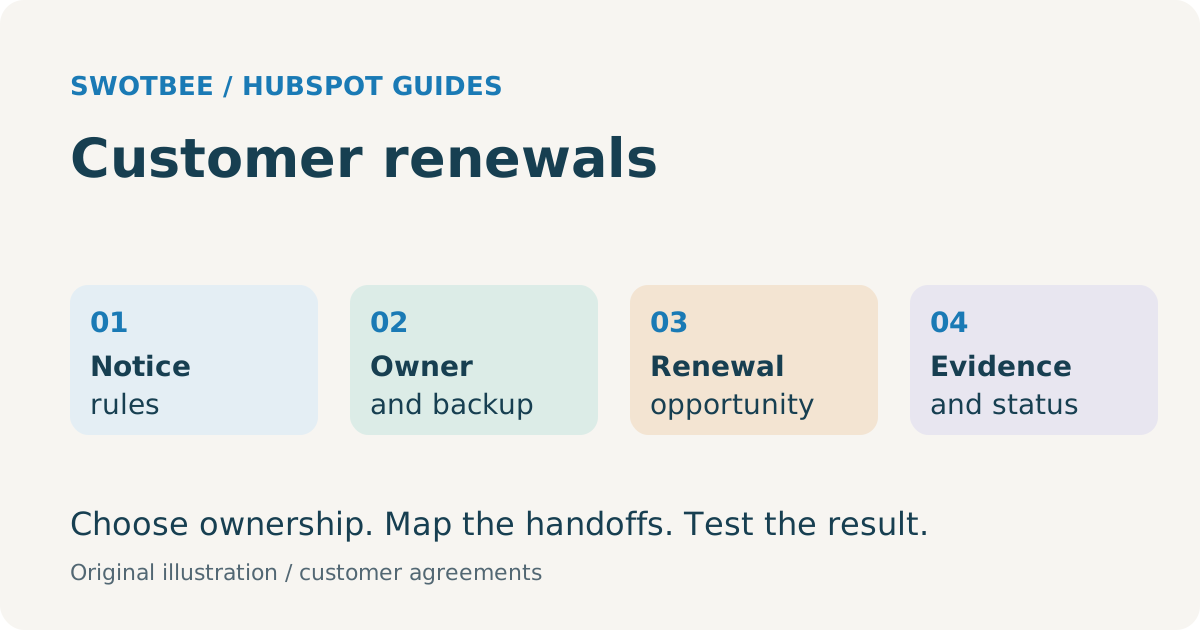
A HubSpot renewal pipeline works when each customer agreement has verified dates, an accountable owner and a renewal opportunity tied to the correct term. Start work before the relevant notice deadline, distinguish reminders from commercial progress, and choose a native Contract or deal-based process that avoids duplicate opportunities and preserves agreement history.
The end date is not always the action deadline. A customer can hold several agreements, and a monthly invoice can belong to a multi-year commitment. Treating those as one date or one deal can send the team after the wrong renewal.
For broader process and software selection, see our contract renewal management guide. This guide owns the HubSpot operational workflow.
Your takeaway: an agreement-level renewal control sheet with reviewed notice dates, owner and backup, next action and a unique renewal event. Use the worked rows below to test reminders and prevent duplicate opportunities before enabling automation.
For trigger design, repeated terms and safe recovery, use the renewal deal workflow specification.
Which dates should drive customer contract renewals?
Use the relevant decision deadline to start work, while retaining separate end, renewal and billing dates. The agreement’s actual terms determine the notice rule.
| Date | Meaning | Operational use |
|---|---|---|
| Contract end date | Current commitment’s scheduled end | Term visibility and expiry checks |
| Notice deadline | Latest date for a specified notice under the reviewed clause | Decision, approval and delivery preparation |
| Renewal effective date | Start of the next commercial term | Renewal commitment and forecast context |
| Billing date/period | Invoice or recurring charge timing | Finance reconciliation, not automatic proof of renewal |
| Internal decision date | Earlier team target | Allows preparation before notice or proposal deadline |
| Review date | Scheduled check for evergreen/no fixed-end arrangements | Operational review without inventing an expiry |
Illustrative rule: if a reviewed clause requires notice 60 calendar days before a term boundary of 31 December 2026, subtraction gives 1 November 2026. A team might choose 2 October as its internal decision target, 30 days earlier. That arithmetic is only suitable if the clause really uses that boundary and calendar-day rule.
Month-based periods, business days, receipt requirements, time zones and amendments can change the answer. Record the reviewed rule and evidence. Do not deploy one date formula to every agreement.
For an initial spreadsheet register, start with the contract tracker template, then add the rule reference, backup owner and renewal event key used below.
Copy this control sheet for the next agreements needing action. These illustrative calendar-day rules must be replaced with each agreement’s reviewed terms:
| Agreement | Term boundary | Reviewed notice rule | Notice deadline | Internal decision date | Owner / backup | Event key |
|---|---|---|---|---|---|---|
| A-101 support | 2026-12-31 | 60 calendar days before boundary | 2026-11-01 | 2026-10-02 | Account lead / service manager | `A-101 |
| A-102 security | 2027-03-31 | 90 calendar days before boundary | 2026-12-31 | 2026-12-01 | Security lead / account lead | `A-102 |
| A-103 migration | One-time project | No renewal rule | Not applicable | Delivery review only | Project lead / delivery manager | No recurring renewal event |
Add next action, due date, rule reference and notice evidence to your working copy. For A-101, an internal decision task is due on 2 October; if approval is incomplete at the agreed escalation date, the backup acts before the 1 November notice deadline. A reminder sent on 1 November alone would leave no preparation time.
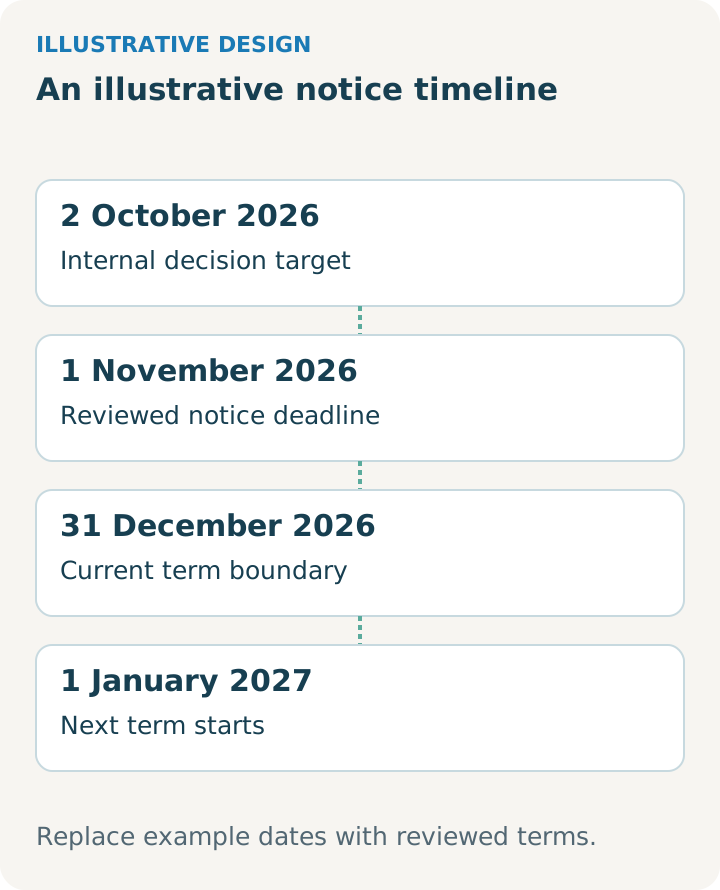
Illustrative design. Use it alongside the worksheet and adapt it to your reviewed agreement and selected tools.
How do you manage multiple agreements and renewal owners?
Track each independently renewable agreement separately and assign one accountable owner plus a fallback. A company-level summary can help navigation, but cannot replace agreement-level responsibility.
An illustrative service customer has an annual support SOW, a security add-on with a different notice window and a one-time migration project. The first two may renew; the third should not generate a recurring renewal deal merely because it has a completion date.
| Role | Responsibility |
|---|---|
| Agreement owner | Confirm dates, customer intentions and next action |
| Commercial approver | Approve price, exceptions and renewal scope |
| Finance owner | Validate billing changes and invoice continuity |
| RevOps/admin | Maintain workflow rules, associations and exception reporting |
| Backup owner | Act when the primary owner is unavailable |
Use the contract renewal process checklist to assign the preparation, approval and follow-up steps around each reviewed deadline.
Sales or Customer Success can own the commercial motion. Choose according to who has authority and customer context, rather than assuming a universal organizational model. Record the handoff when an expansion needs another team.
The existing CS versus sales ownership guide can support that decision. The acceptance test is whether an actual upcoming deadline has an owner who can act.
Should you use native Contract renewals or a deal-based process?
Use the selected agreement source to initiate the renewal motion, and one process to create its opportunity. Native Contracts can support renewal work; deal-based processes remain an option where they fit the current operating model.
According to HubSpot’s renewal quote guide, renewal quotes require Revenue Hub Professional/Enterprise, a Revenue Hub seat and the relevant permissions. An accepted renewal quote creates a successor Contract associated with the previous one. Deal-based workflow quote creation is also documented.
| Path | What should initiate work? | What to test |
|---|---|---|
| Native commercial Contract | Correct agreement renewal/notice context | Settings, quote/deal associations and successor handling |
| Direct renewal beta | Reviewed existing agreement and direct-renewal action | Account enrollment, permissions and actual direct-renewal behavior |
| Deal-based agreement process | Verified agreement term in the existing model | Required fields, line items and prevention of duplicate term deals |
| Hybrid | Explicit routing by agreement/source type | Native and custom paths never both create the same renewal |
The view/manage Contracts guide describes a seat exception for the Direct Create, Edit, and Renew beta. Do not apply that exception to renewal quotes without checking their separate requirements.
Choose the overall record architecture with the HubSpot contract management guide. Use the native setup child for the detailed configuration, after checking access in your portal.
What fields should your HubSpot renewal pipeline use?
Use a small field set that connects the renewal opportunity to its source agreement, deadline and next commitment. Reuse suitable native properties rather than creating parallel copies without a reason.
This is a copyable field-design worksheet, not a HubSpot import specification. Check available property types and automation actions in your account.
| Suggested label | Type | Rule |
|---|---|---|
| Agreement Key / Source Record | Text/association | Identifies the agreement being renewed |
| Renewal Event Key | Text, unique where supported | Agreement key + next-term effective date + event kind |
| Notice Deadline | Date | Reviewed agreement rule; separate from end date |
| Internal Decision Date | Date | Approved lead time before the relevant action deadline |
| Renewal Effective Date | Date | Start of proposed next term |
| Renewal Owner / Backup | Owner reference | Mandatory before operational enrollment |
| Renewal Scope | Text/dropdown | Whole agreement, selected services or partial renewal |
| Renewable Value / Currency | Number plus currency | Explicit amount basis; excludes unrelated one-time work |
| Notice Status | Dropdown | Not required, pending review, planned, sent, evidence confirmed |
| Next Action / Due Date | Text plus date | Named action, not just a stage label |
| Exception Reason | Dropdown/text | Missing dates, unclear clause, owner absent, conflicting terms |
The renewal properties guide covers the supporting field model. A field called “days to renewal” is optional convenience; do not make a universal extra-hub purchase a prerequisite for the entire workflow.
How do you set up a dedicated HubSpot renewal pipeline?
Set up a separate renewal deal pipeline when its stages differ from new business, then connect it to reviewed agreement data. Creating the pipeline and automating renewal deal creation are separate configuration jobs.
According to HubSpot’s pipeline setup guide, custom pipelines require Starter or higher and Edit property settings permission. Limits depend on the account’s pricing model; workflow and team-restriction features have separate requirements.
- In Settings, open Data Management > Objects, select Deals and open Pipelines.
- Choose Create pipeline > Create from scratch and name the renewal pipeline.
- Add the renewal stages and evidence rules described below, including won/lost outcomes.
- Add agreement key, renewal date, owner and next action to the working view.
- Enter one upcoming renewal manually and confirm associations and reporting.
- Only then configure the eligible workflow to create or find that event’s deal, assign tasks and send notifications.
For Sales Hub users, verify the subscribed workflow tools rather than equating pipeline access with automation access. Test the same agreement in the original sales pipeline and renewal pipeline to check that the reports distinguish the two motions.
How do you build a notice and escalation workflow?
Enroll verified agreements relative to the decision date, assign work and escalate incomplete action before the notice deadline. Missing or disputed inputs should enter a review queue.
The official Contract settings guide documents approaching-renewal alerts and renewal-date workflows, with workflow edit/publish permissions. A visible native alert does not establish that your specific notice rule or owner escalation is configured.
Use this workflow specification as a template to adapt and test:
- Eligibility: agreement active, renewal relevant, rule reviewed, owner and decision date present.
- Schedule: start at the approved internal target; identify agreements imported after that date.
- Action: task the owner to confirm customer intent and commercial scope.
- Decision branch: proposal required, notice required, auto-renew under approved policy, or exception.
- Escalation: if the required evidence remains absent at the agreed escalation point, notify the backup/manager.
- Completion: store decision, notice evidence or accepted renewal reference.
- Suppression: close irrelevant tasks when terminated, superseded or already handled.
An internal task is not proof a notice reached the counterparty. Record delivery evidence required by the approved policy. For detailed task configuration, use renewal reminders; review its cadence against notice deadlines rather than automatically applying 90/60/30 days before expiry.
What HubSpot renewal pipeline stages should you use?
Use stages for completed commercial actions, with dates and tasks for urgency. Time passing alone should not imply that the customer is more likely to renew.
| Suggested stage | Evidence to enter |
|---|---|
| Renewal identified | Correct agreement, next term and owner confirmed |
| Scope and terms reviewed | Required customer/internal review completed |
| Proposal or notice prepared | Approved draft ready for the relevant action |
| Proposal delivered / decision pending | Sending evidence and next follow-up recorded |
| Negotiation or exception | Defined blocker, accountable owner and target date |
| Closed Won | Required commercial acceptance evidence complete |
| Closed Lost | Non-renewal/partial outcome classified under the reporting policy |
This is an example stage design, not a universal template. Auto-renewing agreements may need a different action route from those requiring a fresh signature. Choose whether they belong in the same pipeline based on reporting and team work.
Assign forecast probabilities from your own historical cohorts and stage definitions. The current article’s 80% to 95% examples should not become defaults presented as established renewal reality. The pipeline stages guide and separate-versus-shared pipeline guide provide deeper design choices, subject to the same evidence rule.
How do you prevent duplicate deals across multiple years?
Create one opportunity per intended renewal event, and verify that a repeated trigger finds the existing one. A monthly billing event should not create another annual renewal opportunity.
Use an event key such as A-101|2027-01-01|renewal as a design convention. Confirm how the selected workflow or integration enforces that rule. A text field alone is not a duplicate-prevention mechanism.
Before creating a new deal, resolve the correct agreement and term, check for an existing renewal, and route conflicting matches to review. After acceptance, mark the old event handled and establish the successor’s verified dates. Retest termination and replacement paths.
Native and custom automation must agree on which path creates the deal. If both native quote settings and an external scheduler do so, a successful test of each in isolation may still produce duplicates together.
The workflow loop troubleshooting article addresses a specific deal-chain problem. Do not prescribe toggle or odd/even workarounds until you reproduce the failure in your chosen architecture. Test at least three terms, not only year one creating year two.
How do you handle uplift, amendments and partial renewals?
Separate proposed pricing from accepted pricing and preserve the effective date of each change. Record which services renew and which end, rather than equating a partly renewed account with a fully retained agreement.
For example, if the customer renews support but removes the security add-on, the support renewal should not overwrite the add-on’s lost outcome. Keep the original sale, current agreement and next-term opportunity traceable.
HubSpot’s change-quote documentation supports recurring-line-item amendments with Revenue Hub and seat conditions. It excludes changes to one-time line items. Choose the native change path where it fits instead of claiming every amendment requires custom software.
For price rules, use the renewal quote and uplift guide. For aligning different agreement dates, use co-terming renewals, after validating the approved terms and finance treatment.
How should you forecast renewals, expansion revenue and churn?
Forecast the renewable commitment separately from expansion, downgrade and churn outcomes. Keep customer health signals alongside the commercial stage, with an owner and action for each risk.
For an illustrative USD 12,000 annual support renewal, the base renewable value is USD 12,000. A proposed USD 2,000 annual expansion is a separate increment. Use the agreed reporting policy to record a partial renewal or downgrade; do not count the old agreement plus its full successor as two active recurring commitments.
Where your reporting supports weighted forecasting, use renewable value × calibrated probability. Set probability from your own renewal cohorts and stage evidence, rather than a universal percentage. Closed Won opportunity value, active recurring revenue and collected cash answer different questions.
A customer success team might flag an unresolved service escalation or missing executive contact. Store the signal’s date and source, assign a next action and review whether it affects the renewal likelihood. A health score can support judgment, but neither the score nor a reminder guarantees customer retention. Keep detailed scoring and retention analysis with the existing reporting children.
What should you report and reconcile?
Report deadline work, commercial outcomes and revenue on their own defined bases. A renewal deal’s amount, commercial committed revenue, issued invoices and collected cash are different measures.
Operational views should expose deadlines without evidence, absent owners, upcoming decision dates and aged exceptions. Leadership reporting should define eligible renewal events, partial outcomes, scope changes and the period used for comparison.
HubSpot’s Contract management documentation now describes revenue and retention reporting, including NRR analysis. Do not repeat a blanket claim that HubSpot has no native NRR report. Verify what your account’s native reporting covers and where its historical data starts.
The NRR/GRR dashboard guide should complement that native assessment. Use the quote-to-cash guide for CRM/accounting reconciliation; do not sum original sales, renewal deals and contract totals into one revenue figure.
What should pass before the renewal process goes live?
Verify deadline rules, ownership and opportunity creation against representative agreements, including exceptions. A dashboard is useful only if the underlying agreement and event counts reconcile.
Practical checklist:
- Two agreements on one customer keep independent notice dates and owners.
- A one-time project does not enter the recurring renewal chain.
- An evergreen agreement follows a reviewed notice/review policy without a fabricated end date.
- Calendar-day, month-based and amended notice rules receive their own reviewed tests.
- Missing rules and absent owners enter an exception view.
- Late imports and changed dates create actionable work without duplicate tasks.
- A repeated trigger creates no second opportunity for the same event.
- Three successive terms work without copying stale dates or obsolete prices.
- Native and custom renewal routes cannot both create the same deal.
- Partial renewal, uplift and mid-term amendment remain distinguishable.
- Approved terms reconcile to the billing handoff and reporting basis.
- Owners can demonstrate the workflow and resolve a simulated failure.
Frequently asked questions
Does HubSpot support renewals natively? Yes, native renewal alerts and quote-based commercial renewal are documented. Confirm the relevant account access, seats, permissions and settings.
Is the notice deadline always the end date minus days? No. The reviewed clause may use another boundary, months, business days or receipt requirements. Keep the rule evidence with the date.
Do all renewals need a new signed document? No. Follow the agreement and approved commercial/legal policy. Automatic renewal still needs a clear operational decision and billing check.
Should a new renewal deal appear each month? Only if that is the actual commercial renewal event. Monthly invoicing alone does not establish a monthly opportunity.
How do we track several contracts with different notice periods for one customer? Keep a separate agreement identity, reviewed rule, deadline and owner for each renewable commitment. Use a company rollup only for navigation. The control-sheet example above shows two separate notice windows and excludes a one-time project from renewal automation.
Should renewals use a separate pipeline from new business? Use a separate pipeline when renewal stages, ownership or reporting need a distinct process. A shared pipeline can fit when those rules are the same and motion type remains identifiable. Test new sales, expansion and renewal reporting together; separating pipelines does not by itself prevent duplicate agreements or double-counted revenue.
Discuss your renewal process
SwotBee has delivered renewal-related projects. Its existing public project narrative describes multi-line renewal and quoting work; this guide does not assign new performance figures to that experience.
Request a discovery call about your HubSpot customer renewals. Bring examples of concurrent agreements, notice rules and the point where owners or renewal deals lose track.


