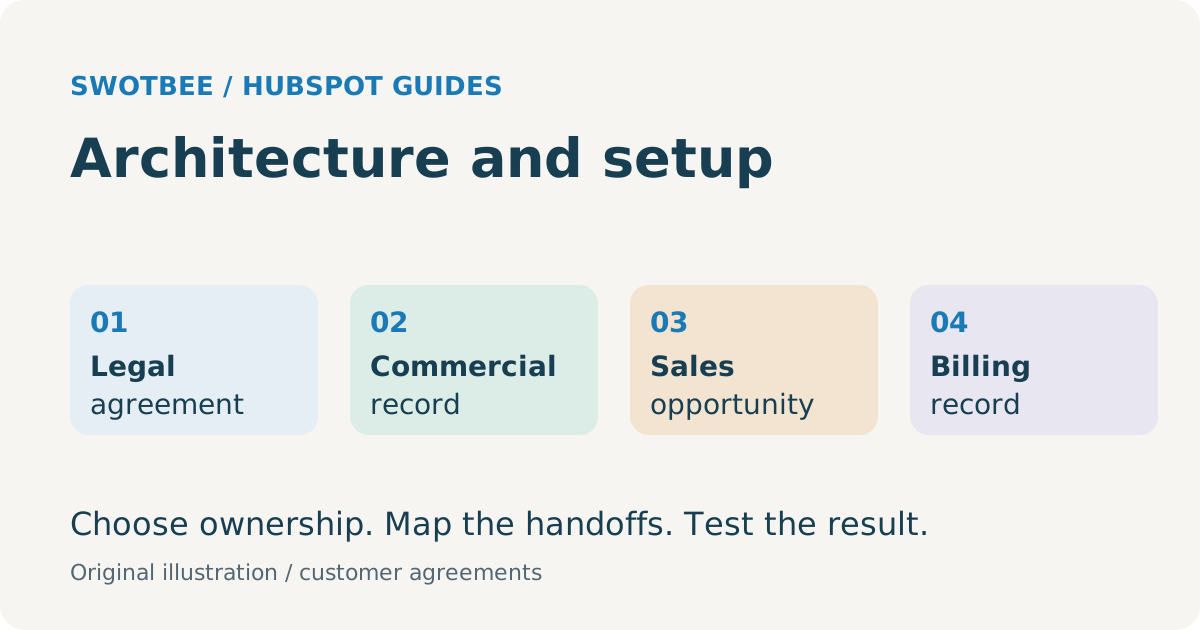
HubSpot contract management starts by separating the customer’s legal agreement, commercial commitment, sales opportunity and billing arrangement. Choose where each belongs, then connect the records through stable identifiers, verified dates and clear ownership. Native Contracts may fit the commercial lifecycle; document tools and accounting systems can retain their own responsibilities.
If a customer has three agreements, one company-level “contract end date” cannot describe all three. If a signed document appears on a deal but its approved terms never reach billing, the signature step alone has not completed the implementation.
This guide helps you choose the architecture before configuring automation. For the wider business process, see our customer contract management guide.
Your takeaway: a one-page architecture decision brief and agreement field dictionary. Use them to decide what stays in HubSpot, what stays in your document or billing tool, and what to test before importing existing contracts.
If your customer agreements need an Ironclad legal workflow, use the Ironclad-to-HubSpot return specification to compare packaged and custom routes against the required CRM handoff.
What does a contract mean in HubSpot?
A legal agreement and a HubSpot Contract record serve different purposes. The first contains the agreed legal terms; the second represents a commercial revenue commitment.
According to HubSpot’s Contracts overview, native Contracts do not replace signed PDFs or master service agreements. A File or URL property can reference the legal document.
| Item | Question it answers | Implementation responsibility |
|---|---|---|
| Legal document: MSA, SOW, order form, amendment | What did the parties agree to? | Preserve approved version, signatures and access to evidence |
| Commercial Contract record | What customer commitment is active? | Maintain terms, associations and commercial change history |
| Deal | What sale, expansion or renewal are we pursuing? | Track owner, stage, expected close and forecast |
| Subscription | How is a recurring billing arrangement represented? | Identify the actual billing controller; do not infer it from the object name |
| Invoice and payment | What was billed and collected? | Reconcile receivables, credits, settlement and accounting |
A “Closed Won” deal is not, by itself, proof that the correct document was signed or the correct invoice was issued. Define the evidence required for those separate states.
Which HubSpot contract management architecture should you choose?
Choose the simplest arrangement that preserves agreement identity, covers your lifecycle and passes the required tests. Native setup, a deal-based process and an integrated document platform are options that can work together.
| Approach | Suitable starting condition | What to verify |
|---|---|---|
| Native commercial Contracts | You want agreement-level commercial records, changes and renewals | Exact creation/import path, beta access, seats, line-item behavior and billing mode |
| Deals with agreement properties | Your current operational process already uses deals and you need a bounded renewal workflow | Separate agreement data from opportunity data; prevent double counting and duplicate terms |
| Specialist custom object | Required entity relationships or operational fields do not fit the selected native model | Custom-object entitlement, associations, reporting and maintenance cost |
| Document connector alongside CRM | Existing templates, approvals and signatures need CRM data | Supported source objects, recipients, field direction and event behavior |
| Legal CLM alongside CRM | Your legal team requires capabilities such as clause control or negotiation history | Demonstrate those capabilities in the selected product; define what returns to CRM |
An externally signed agreement does not automatically require a deal-only architecture. Assess the current native direct-create/import path first. Likewise, a native commercial record does not settle which tool should handle legal review.
Copy this decision brief and complete it for one real agreement before choosing tools:
| Decision | Illustrative support-agreement answer | Your answer |
|---|---|---|
| Independently managed commitment | A-101 annual support SOW under MSA-10 | |
| Legal evidence owner | Existing document tool; executed SOW and MSA references | |
| Commercial record candidate | Native Contract, subject to access and lifecycle tests | |
| Original sale and next renewal | Original won deal retained; separate next-term opportunity | |
| Billing controller | Existing finance system; record import does not transfer billing | |
| First proof required | Import A-101 and A-102 for one company; confirm separate dates and no invoice creation |
If the candidate fails a required test, record the failed requirement before evaluating a deal-based model, custom object or integration. The output is a justified architecture choice, rather than a shopping list of apps.
Use the CLM and CRM responsibility guide to decide who owns each kind of information. Avoid declaring HubSpot authoritative for every field merely because it is the CRM.
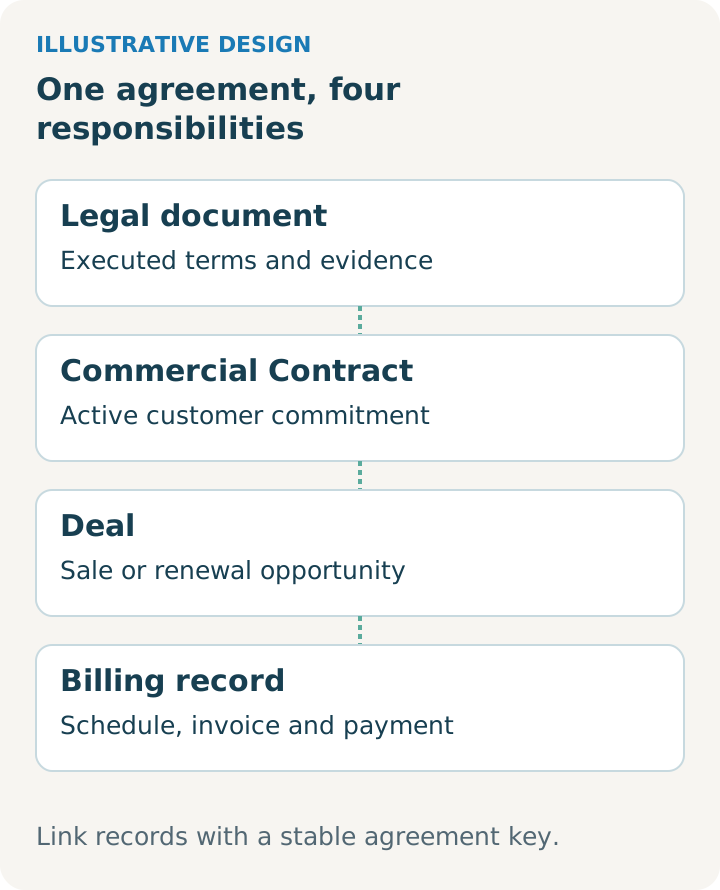
Illustrative design. Use it alongside the worksheet and adapt it to your reviewed agreement and selected tools.
What native HubSpot setup should you check first?
Check the exact feature path in the target account before designing around an upgrade or beta. Access to record creation does not establish access to quoting, workflows or connected billing.
The official direct creation guide lists the Direct Create, Edit, and Renew HubSpot Contracts beta across all products and plans, with Super Admin enrollment and Contract permissions. It also distinguishes non-billing import from billing migration. The standard accepted-quote route has different requirements.
Prepare an access record with these entries:
- HubSpot hubs, tiers and assigned seats.
- Beta names and whether this account is enrolled.
- Contract create/edit, deal create, import and workflow permissions.
- Whether the account uses current CPQ quotes or legacy quotes.
- Whether billing remains external, uses subscriptions, or is controlled through connected Contracts.
According to HubSpot’s setup documentation, accepted legacy quotes do not create Contracts. Test your actual quote type instead of assuming that every signed HubSpot quote follows the same path.
The native Contracts and renewal-quotes guide is the detailed setup companion. Use it to check the creation path, required access and renewal-quote behavior in your account.
What agreement data should you prepare?
Prepare a field dictionary with a source and owner for each value. An automation rule should consume a reviewed date or amount, rather than silently turn uncertain text into operational truth.
Use this starting schema as a design worksheet. These are suggested labels, not guaranteed native property names or a ready-to-import HubSpot file.
| Suggested field | Type | Source and check |
|---|---|---|
| Agreement Key | Text, unique where supported | Durable ID from the agreement register; never use company name alone |
| Legal Document Reference | URL or file reference | Executed version and related amendments, with permitted access |
| Source System and Source ID | Text | Original register, CLM or billing record |
| Customer and Billing Party IDs | Text/associations | Distinguish service recipient from payer |
| Effective Date and End Date | Date | Reviewed terms; allow an intentional blank end date for evergreen agreements |
| Notice Deadline and Rule Reference | Date plus text/URL | Approved interpretation of the relevant clause |
| Agreement Owner and Backup | User/owner reference | Named operational responsibility |
| Commercial Value and Currency | Number plus currency | Defined basis: monthly recurring, annual recurring or total commitment |
| Data Review Status | Dropdown | Pending review, verified, exception |
| Related Deal/Contract IDs | Associations or text mapping | Original sale, current commitment and later revenue events |
If your starting register is a spreadsheet, use the contract tracker CSV to capture dates, notice periods and ownership before preparing the field mapping. It is a starting register, not a native HubSpot import file.
Do not label an entire agreement’s value “ARR” if it includes a one-time implementation charge. Keep the amount basis visible, particularly when comparing CRM and finance reports.
For the operational renewal fields, continue to renewal pipeline properties. For workflow design outside this HubSpot-specific architecture, see contract management automation.
How should you model multiple agreements per customer?
Give each independently managed agreement a durable identity. Keep a customer-level summary for visibility, while preserving the separate agreement dates, owners and evidence underneath it.
Consider this illustrative MSP customer, not a SwotBee case study:
| Agreement | Scope | Operational difference |
|---|---|---|
| A-101 | Managed support | Annual term with a notice deadline |
| A-102 | Security service | Separate renewal date and service owner |
| A-103 | Implementation project | One-time delivery; no recurring renewal |
One MSA may govern all three, while each SOW carries its own commercial terms. Link the MSA and the SOWs deliberately; do not infer three renewable commitments solely from three attached files.
An account’s “next action date” can be a useful rollup. It must not overwrite the underlying notice deadline for A-101 when A-102 changes. Test with two concurrent agreements and an amendment, rather than only one company and one deal.
How do you import existing agreements without changing billing?
Treat record import as a data preparation and reconciliation job. Moving agreement metadata into CRM should have an explicit scope that says whether billing changes at all.
The direct-create documentation describes importing non-billing Contracts through the import tool. This is structured data intake, not evidence that HubSpot extracts every term from your legal PDFs.
Use a small representative batch before a full import:
- Inventory active, expired, evergreen and amended agreements.
- Resolve duplicate customer and agreement identifiers.
- Record the source of each date and the reviewer of uncertain terms.
- Map customer, billing party, owner, deal and document references.
- Confirm which reminders or integrations could fire on imported records.
- Reconcile accepted rows, rejected rows, associations and value totals by currency.
- Re-import the same sample with the chosen update identifier and check for duplicates.
Keep rejected rows visible in an exception register. A successful import message does not establish that the correct payer, owner or document is attached.
When is migration a billing project?
Migration becomes a billing project when future invoice generation or payment collection changes systems. It requires finance-controlled cutover, even if the starting file resembles an ordinary CSV import.
According to HubSpot’s billing migration guide, the Billing Migrations onto Revenue Hub Contracts beta has processor and permission conditions. Activation makes HubSpot the billing system of record, cannot be undone through the migration, and does not stop the legacy system from billing. Revenue continuity does not recreate historical invoices or payments.
Before activation, identify the last legacy invoice and first new invoice for every migrated schedule. Reconcile service periods, opening receivables, payment methods and any scheduled price changes. Establish who stops the legacy charge and verifies that it stopped.
The current Contract import documentation states that existing HubSpot Subscriptions cannot be migrated to Contracts. This is a different starting condition from importing external customer agreements. The HubSpot quote-to-cash guide covers the downstream acceptance plan.
When do you need a document integration or CLM?
Add or configure a document tool when the required creation, approval, signature or document-control job is not satisfied by the selected native process. Start by testing the existing connector against one approved customer template.
HubSpot documents quote e-signatures, so “HubSpot cannot sign” is an inaccurate starting claim. Whether a quote is an acceptable customer agreement is a separate template and legal-policy decision.
Specify the required handoffs: CRM fields into the draft, reviewers and signers, completed-document storage, status return, approved term return and exception recovery. A status badge and an attachment do not prove that renewal dates or billing terms came back correctly.
The document-integration guide compares PandaDoc and DocuSign at that workflow level. Preserve your chosen tool if its configured connector already meets the requirement. Custom integration should solve a demonstrated gap, with its license and maintenance costs visible.
What should pass before HubSpot contract management handover?
Accept the implementation against representative agreement lifecycles, not a demonstration of one successful button click. Record expected results, actual results and the owner of each exception.
Practical checklist:
- Two agreements on one customer retain separate IDs, dates and owners.
- The correct executed document and amendment are accessible to authorized users.
- Original won-sale history remains interpretable after a change or renewal.
- An unknown notice rule enters a review queue, rather than generating a confident deadline.
- Imported records reconcile by count, association and amount basis.
- Repeating an import or completed-document event does not create another commitment.
- A renewal or change creates only the intended opportunity and commercial record.
- If billing moves, finance verifies the first invoice and absence of duplicate legacy billing.
- Missing access, failed writeback and orphaned documents have a named recovery path.
- The admin receives the field dictionary, mappings, workflow inventory and operating instructions.
Use the contract management checklist to review document access, dates, responsibilities and handoffs alongside these implementation tests.
For daily operation after setup, use the HubSpot renewal pipeline guide. The architecture is complete when the team can explain where agreement truth lives and how an exception gets resolved.
For the detailed acceptance work, use customer Contract import mapping and pilot reconciliation.
Frequently asked questions
Can we manage externally signed customer agreements in HubSpot? Assess direct creation/import for commercial records, the legal-document reference and any external billing integration. External origin alone does not rule out native Contracts.
Do we need Enterprise? Not for every contract-related job. Compare the exact native, beta, quoting, workflow and custom-object paths in your account before choosing a tier.
Do Contracts replace our sales deals? They serve different jobs: a deal tracks a sales opportunity, while a commercial Contract tracks the commitment. Preserve the original won sale and associate later changes or renewals deliberately. Test both opportunity reporting and current agreement visibility before replacing an existing process.
Can we import our existing contracts without writing an API integration? The documented direct-create beta includes structured non-billing import. Check access, prepare the field mapping and pilot a small batch. Importing records does not extract every legal term from PDFs or automatically migrate billing. The import and billing sections above explain those separate jobs.
Should the company or deal hold the contract end date? The authoritative date belongs to the identified agreement. A company summary or renewal-deal copy can support work, but should remain traceable to that source.
Will a connector solve contract management? It may solve the required document handoff after configuration. Confirm field scope, identity, history and exception handling rather than treating installation as completion.
Discuss your customer-contract setup
SwotBee has delivered renewal-related projects and integrations involving document-signing and accounting tools. The useful starting point is your agreement workflow: what exists today, where it breaks and what your current accounts can support.
Request a discovery call about your customer-contract setup. Bring an anonymized agreement example, your HubSpot plan and your document/billing tools.


