
This guide supports our HubSpot Customer Contract Management pillar. It focuses on the specific implementation job below.
Import existing customer contracts into HubSpot by choosing the intended record route, assigning stable agreement identities and reconciling associations and amounts in a small pilot. Keep non-billing import separate from billing migration. Making an agreement visible in CRM should not silently change which system invoices the customer.
Three things you can take away:
- A field and association specification for existing customer agreements.
- A worked multi-agreement example with independently checkable totals.
- An import acceptance checklist separating record visibility, history and billing.
Start here: take two agreements belonging to one customer. List their unique identities, current terms, recurring values, legal-document references and existing invoice authority before preparing import rows.
Download: HubSpot contract import workbook (Excel). Build a mapping specification, compare pilot source and target totals, and record acceptance evidence. Blank and illustrative examples are included. No signup is required.
Are you importing records or migrating billing?
Choose non-billing import when the job is to represent existing agreements and their commercial data. Treat transfer of invoicing and collection as a separately scoped billing project.
HubSpot’s direct Contract guide distinguishes non-billing import from a billing-continuity migration. The direct-create route has beta and permission conditions. Confirm the exact account route before preparing records.
HubSpot’s billing migration guide describes a separate beta path and activation conditions. Activating that path makes HubSpot the billing authority and does not stop the legacy system from billing. Plan the old-system stop and financial reconciliation explicitly if that is the required project.
This article concentrates on record preparation and non-billing acceptance. The architecture pillar owns the system choice, and the HubSpot quote-to-cash guide owns the broader invoice and collection handoff.
What kind of contract belongs in HubSpot?
Distinguish the legal document from the commercial record and its associated opportunities. Importing a Contract record does not recreate legal approval or establish that every clause was reviewed.
An executed MSA or SOW remains legal evidence in the chosen document system. A HubSpot Contract represents selected revenue commitment details. The original sale and next renewal may have separate deals. A subscription retains its configured billing role.
Choose the required destination from those responsibilities. Where an external agreement record remains authoritative, you may need CRM visibility and reviewed properties rather than a new billing-enabled Contract. A missing native field in a first demonstration does not prove that a custom object is necessary.
Use the native Contracts setup guide to check access and lifecycle behavior. Record the account’s product, beta enrollment, operator permissions and intended billing setting in the implementation brief.
What should your contract import specification contain?
Map each source field to an intended destination, authority and acceptance rule. Preserve stable identity and context before adding convenience fields.
| Mapping requirement | Example source | Destination decision | Acceptance rule |
|---|---|---|---|
| Agreement identity | A-101 | Unique import key | One intended agreement, not a company-wide key |
| Customer identity | Company 42 | Reviewed customer association | Correct legal/customer entity |
| Original opportunity | Deal 501 | Existing deal association | Original history remains attached |
| Term | Reviewed SOW dates | Native or agreed properties | Effective dates retain their meaning |
| Recurring commitment | Approved recurring lines | Line-item/value model | One-time charges excluded from MRR |
| Legal evidence | SOW version 3 reference | Approved document reference | Authorized reader opens the intended version |
| Billing authority | Existing Xero process | Explicit migration boundary | Import does not create a second invoice controller |
These labels are a specification, not a ready-to-upload native header list. Identify actual HubSpot properties and supported associations in the current import tool before creating the final file.
HubSpot’s create/import documentation specifies a single-line text property with unique values enabled. Repeat that key on separate line-item rows, and use a separate deal row containing its record ID for the deal association. It also states that existing HubSpot Subscriptions cannot currently be migrated to Contracts. Do not infer that supported external agreement import solves that different starting condition.
For clause-derived notice dates, retain the source and review status. A text extraction is not an approved legal interpretation. Use the renewal properties guide for the operational follow-up model.
How do you prepare two agreements and their line items?
Keep each agreement’s rows together through a stable key, while retaining distinct line and customer identities. A customer with two agreements must not become one overwritten Contract.
Use this illustrative USD example before tax. It is an import specification, not native CSV syntax or a tested portal result.
| Agreement | Customer | Source deal | Commercial line | Monthly recurring value | One-time value |
|---|---|---|---|---|---|
| A-101 | Company 42 | 501 | Managed support | $900 | $0 |
| A-101 | Company 42 | 501 | Reviewed onboarding | $0 | $1,500 |
| A-102 | Company 42 | 502 | Separate backup service | $200 | $0 |
The source control has two agreements, three lines, $1,100 monthly recurring value and $1,500 one-time value. Counting three import rows as three agreements would be incorrect. Adding onboarding to MRR would also be incorrect.
For A-101, preserve whether $900 is the negotiated monthly amount or a result calculated from quantity, rate and discount. Importing only a total may leave quoting or reporting without the necessary line detail. The CPQ guide helps define that commercial meaning.
The official import route distinguishes Contract/line-item information and deal association rows. Follow its current file layout rather than copying the specification table verbatim. Include the required record IDs and unique properties so a second reviewer can explain exactly where each row will land.
How should you run the pilot import?
Import a small representative population, inspect the resulting records and reconcile against an independent source control. A success message is the start of verification.
- Confirm access, destination object, unique-key property and approved non-billing route.
- Prepare a source control with distinct agreements, lines and recurring/one-time amounts.
- Resolve ambiguous customer and agreement matches before upload.
- Build the supported file layout and review field mappings and associations.
- Run the pilot and retain the import ID, error report and generated/updated record identities.
- Inspect each agreement, its lines, dates, document references and associated original deal.
- Compare source and target controls before expanding the population.
Keep the pilot varied enough to reveal problems: two agreements on one customer, a one-time line, a missing owner and a previously amended agreement. A single uncomplicated record cannot demonstrate the whole import design.
If any action would activate billing or send a customer communication, separate it from this non-billing pilot. A blank schedule in a planning worksheet is not proof that the selected product path is non-billing.
How do you reconcile records without double counting?
Compare distinct agreement counts and values at the same commercial basis. Keep import row counts, unique agreement counts and recurring totals as separate controls.
The example source controls are two agreements and $1,100 MRR. Suppose the target contains two agreements but only $900 MRR. Count reconciliation passes, while the $200 backup amount is missing. A count alone cannot establish a complete import.
The workbook calculates target minus source differences. Enter source count 2, target count 2, source MRR 1,100 and target MRR 1,100: both differences are zero. Change target MRR to 900 and the value difference becomes -200. Missing controls leave the relevant comparison blank; they do not become a reassuring zero.
Review identities as well as aggregates. Two wrong agreements can still total $1,100. Compare A-101 and A-102 individually, and confirm that neither inherited the other’s deal or legal document. Use the reporting guide for later recurring-revenue aggregation and join checks.
What should happen on a repeated or corrected import?
Define whether each row creates, updates or remains unchanged, then test that behavior against the supported identifiers. Re-uploading a file is not a safe recovery plan by itself.
Preserve the import key and resulting record ID after the pilot. If A-101’s owner needs correcting, target that agreement under the supported update path. Do not create a new key merely because the previous import contained an error.
Keep missing customer, duplicate key, invalid field and unsupported association errors separate. The repair may be different for each. A rejected line item should not trigger another copy of the parent agreement.
Record a recovery row with import ID, source agreement, failed field/action, target identity, resolver and expected correction. Before retrying, inspect what already succeeded. The goal is one accepted agreement state with traceable corrections, not several apparently successful imports.
How should history, amendments and document references be preserved?
Specify which history must remain queryable and where its evidence lives. Current values alone may not explain a prior commercial change.
An amended SOW may have an original amount, a later effective increase and a prior notice rule. Decide which version governs the current term while retaining references to earlier executed evidence. Do not silently replace an original deal amount with a current agreement total and call it complete history.
For a historical agreement without an originating deal, define the reviewed association path. Do not invent a new sale, send a signing request or generate an invoice merely to provide a place for the record.
Document access is part of import acceptance. Verify that the intended operator can open the correct executed version, while an unauthorized user cannot access private terms through a public link. For provider-specific handoffs, use the document integration pillar.
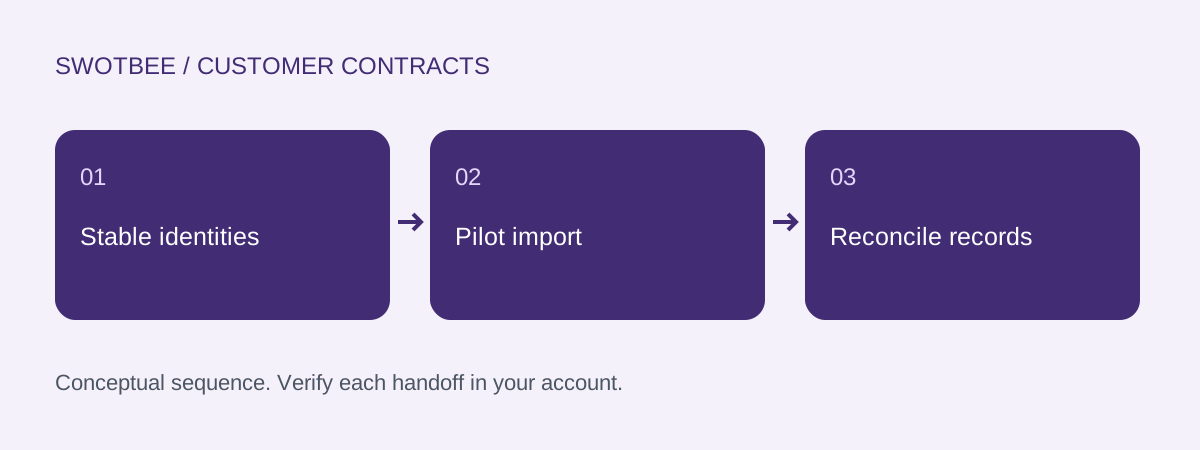
The diagram describes a pilot review sequence. It does not claim a particular account is enrolled in a beta or that a provider import has been tested.
What should pass before you expand the import?
Expand only after the pilot’s intended records, associations and values reconcile and corrections have a tested path. Keep incomplete rows visible in the acceptance plan.
- Non-billing import and billing migration have distinct approved scopes.
- Account access, beta conditions and operator permissions are verified.
- A stable unique identity exists for every agreement.
- Two agreements at one customer remain separate.
- Source and target controls distinguish agreements from line-item rows.
- The example reconciles to two agreements and $1,100 MRR.
- The $1,500 one-time amount is preserved outside MRR.
- Dates, source deals and legal-document versions match each agreement.
- A repeated import follows the intended create/update policy.
- Partial success can be corrected without duplicating accepted records.
- Required history and exclusions are documented.
- Authorized document access is tested.
- No unintended invoice, collection or customer message starts.
The pilot log should identify what remains outside coverage, including native Subscription conversion where applicable. A reconciled small sample supports the chosen import process; it does not guarantee an entire legacy portfolio is clean.
Frequently asked questions
Can I import customer contracts without starting billing?
HubSpot documents non-billing Contract import separately from billing migration. Confirm the available route, beta enrollment and permissions, and test that the pilot does not activate an unintended billing path.
How do multiple agreements and line items stay separate?
Use a stable unique agreement key, separate customer and deal identities, and the supported line-item row structure. Reconcile each agreement and its lines rather than checking only company-level totals.
Can existing HubSpot Subscriptions be converted to Contracts?
The current create/import documentation states that existing HubSpot Subscriptions cannot be migrated to Contracts. External agreement import and billing migration are different starting conditions; verify the supported path before planning a conversion.
Does importing a Contract recreate all historical activity?
Do not assume it does. Specify the history, document references and associations that must remain accessible, then inspect the pilot result. Preserve the source archive for evidence that the chosen import route does not carry.
What should happen when the same import is run twice?
The stable key and chosen update behavior should identify the intended existing record. Test a repeat and partial-failure correction in the pilot, checking duplicates, associations and financial controls before expanding the import.
Need help applying this to your customer agreements?
Use the workbook to document one real agreement and its expected results. If you would like to discuss the implementation, contact SwotBee for a discovery conversation.

